
A walk through the product
See exactly how a booking runs itself.
From the guest finding your page to the receipt in their inbox — every screen your guests and your team will use, with real screenshots and what each one is for. Nothing here is a mock-up: it is a sample resort, running on the live product.
- Zero commission
- Money straight to your UPI
- English, Malayalam, Tamil
The four parts
One system, four doors into it
Your guests use two of them without installing anything. Your team uses the other two — the same account, on whatever device is to hand.
Your photos, rooms, prices and policies at your own address — resort.mybills.co.in/
Not a page you visit: every booking gets a private link, sent to the guest by email or WhatsApp. On it they pay the advance, see whether you have confirmed it, and reach you in one tap.
See the screens For your team 3 · The staff app, in any browserOpen resort.mybills.co.in/
The same account as an app. Keeps working when the signal drops and catches up when it is back, unlocks with a PIN or fingerprint, and never logs the desk phone out overnight.
See the screensHow a booking flows
From first look to checkout, in ten steps
Who does what, and when. The guest does the typing; your team checks the money and welcomes them.
- 1GuestOpens your link
From your Instagram bio, Google listing or a WhatsApp message. Photos, rooms and prices first.
- 2GuestPicks dates and how many
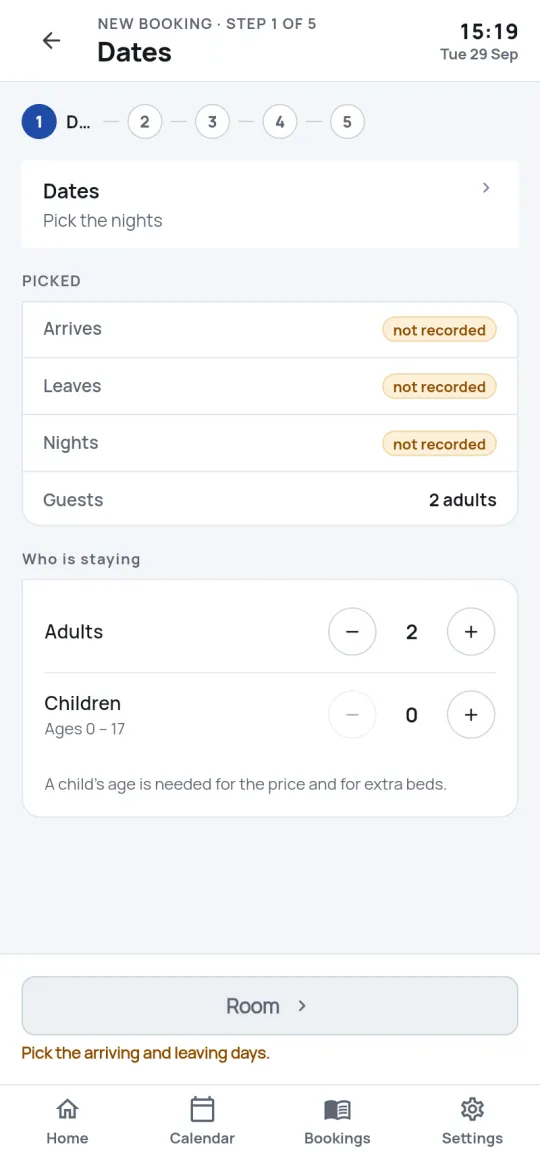
A calendar with the price under every night and sold-out nights marked, so nobody picks one you cannot sell.
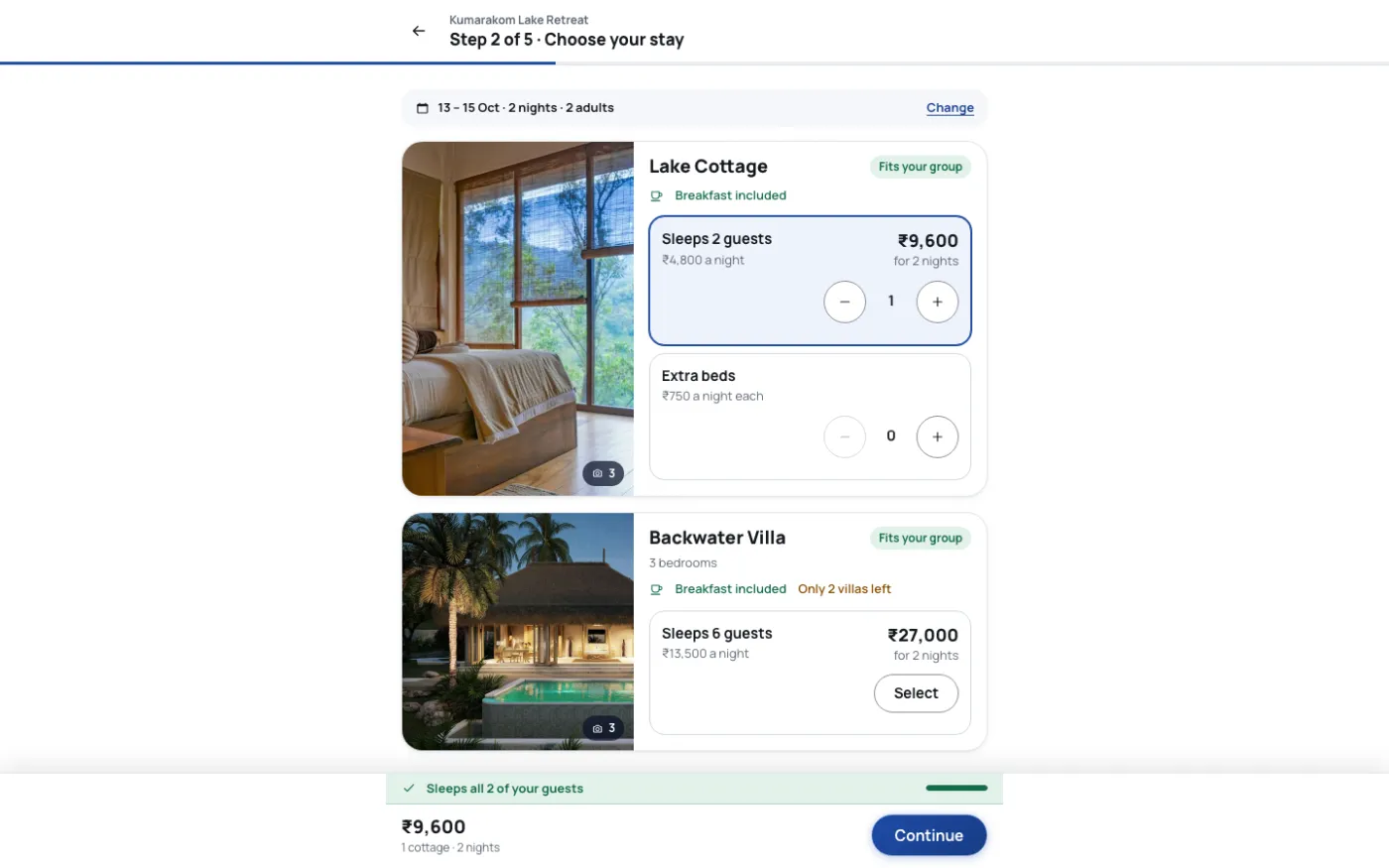
- 3GuestChooses rooms, beds and food
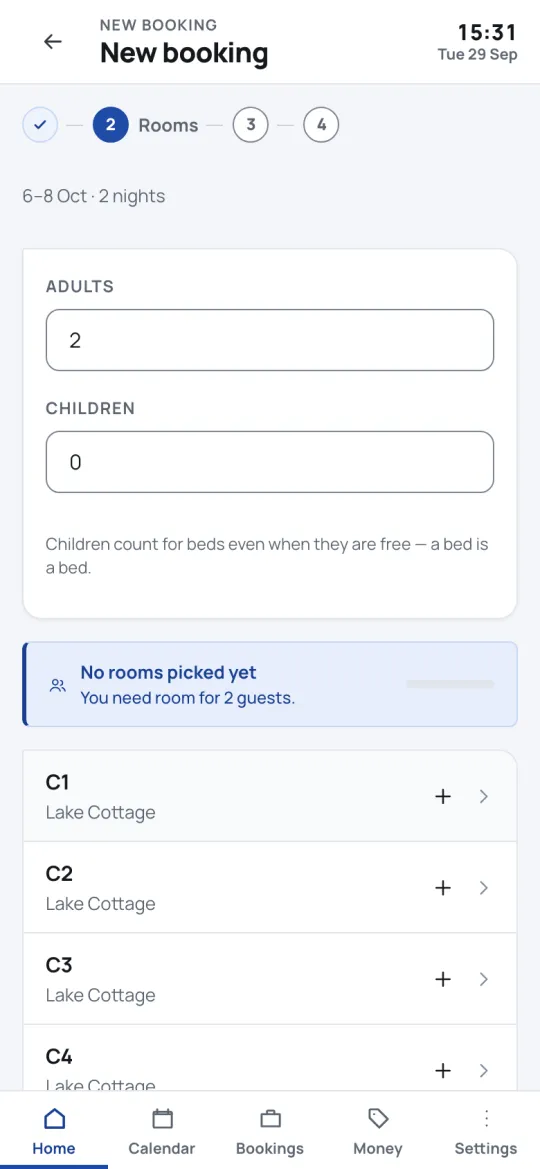
Cheapest first. A live count shows whether everyone has a bed; extra beds and meals add up as they go.
- 4AutomaticThe rooms are held
The moment rooms are chosen they are locked, so two people can never be walked to the last cottage. Close the tab and they come back on sale.
- 5GuestReads your terms, pays the advance
Your policy in full, scrolled to the end. The advance goes by UPI straight to your account, with the booking number attached.
- 6GuestSends the proof
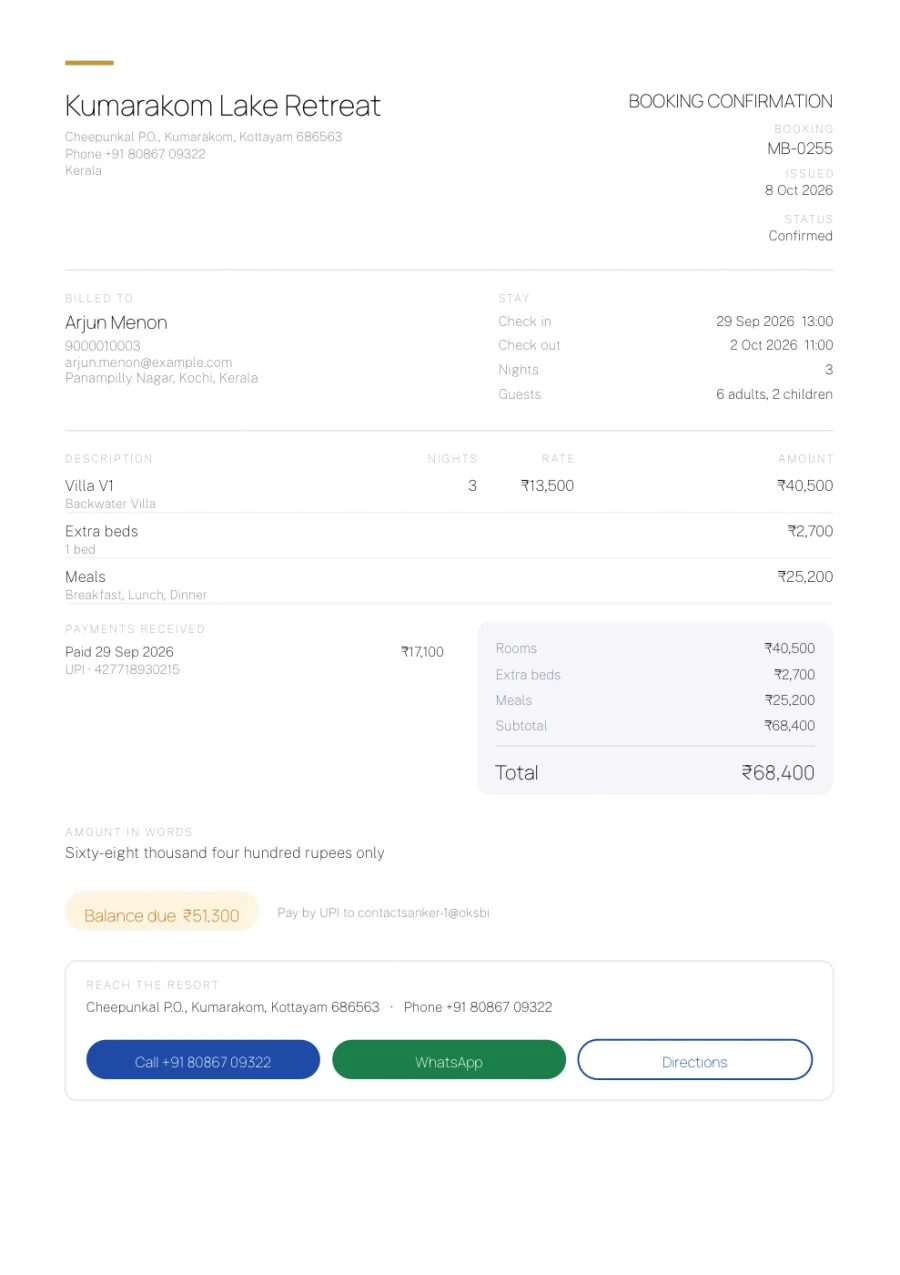
The UPI reference or a screenshot. They land on their own booking page and get a confirmation email with a PDF.
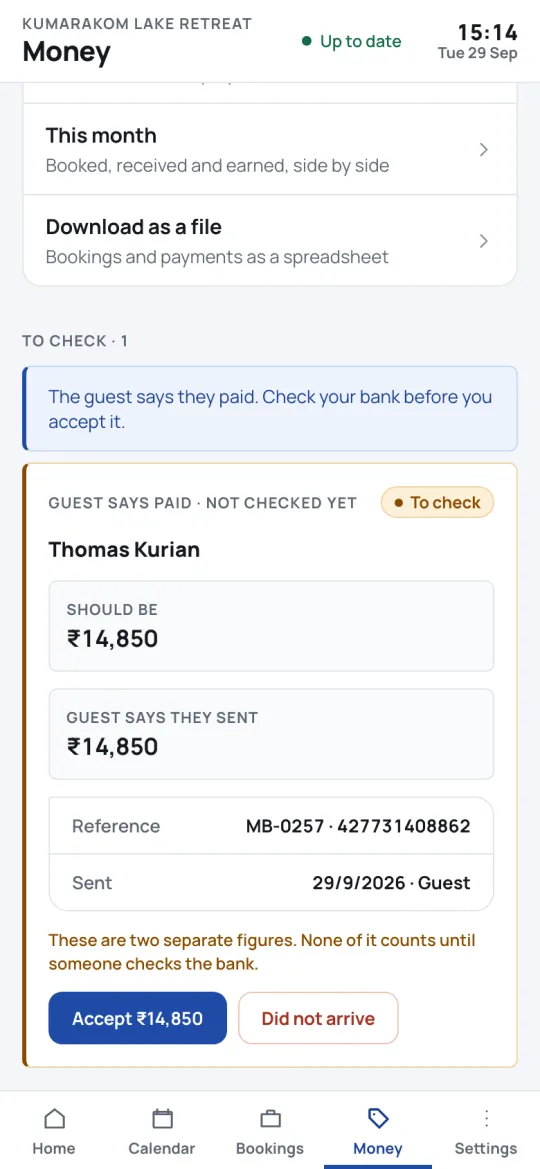
- 7Your teamChecks it in your bank
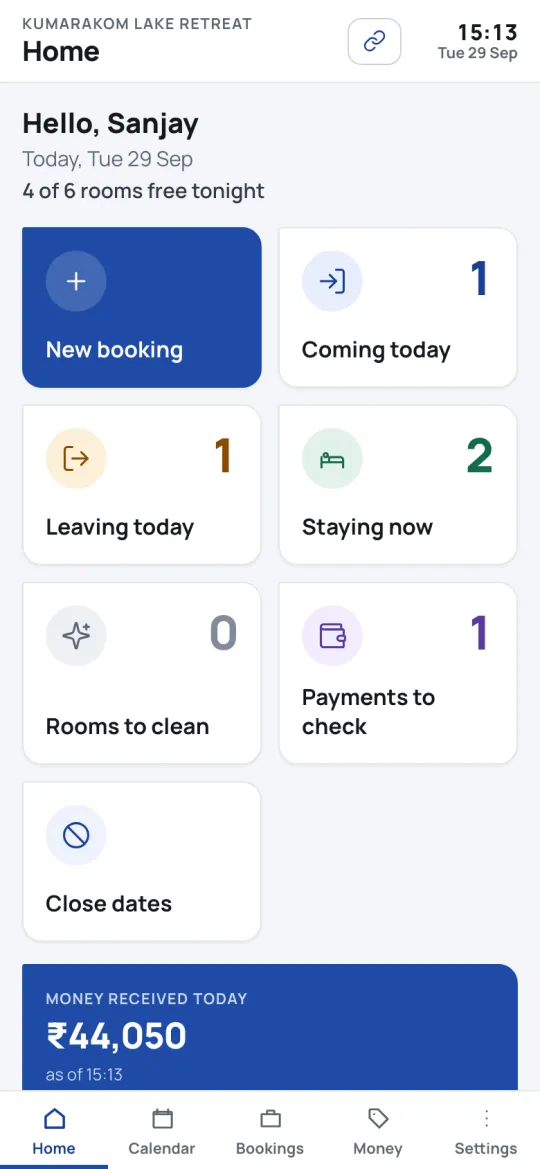
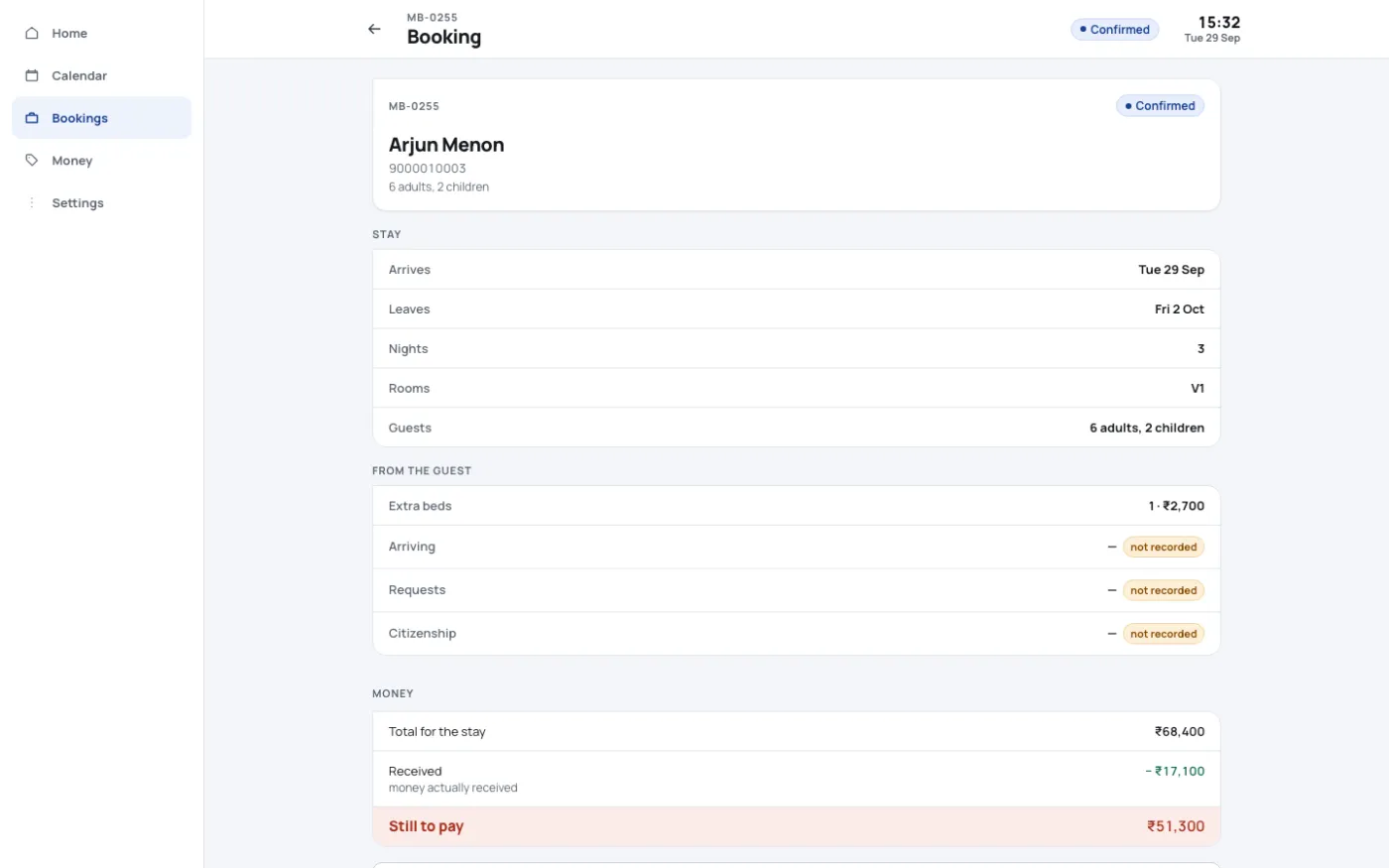
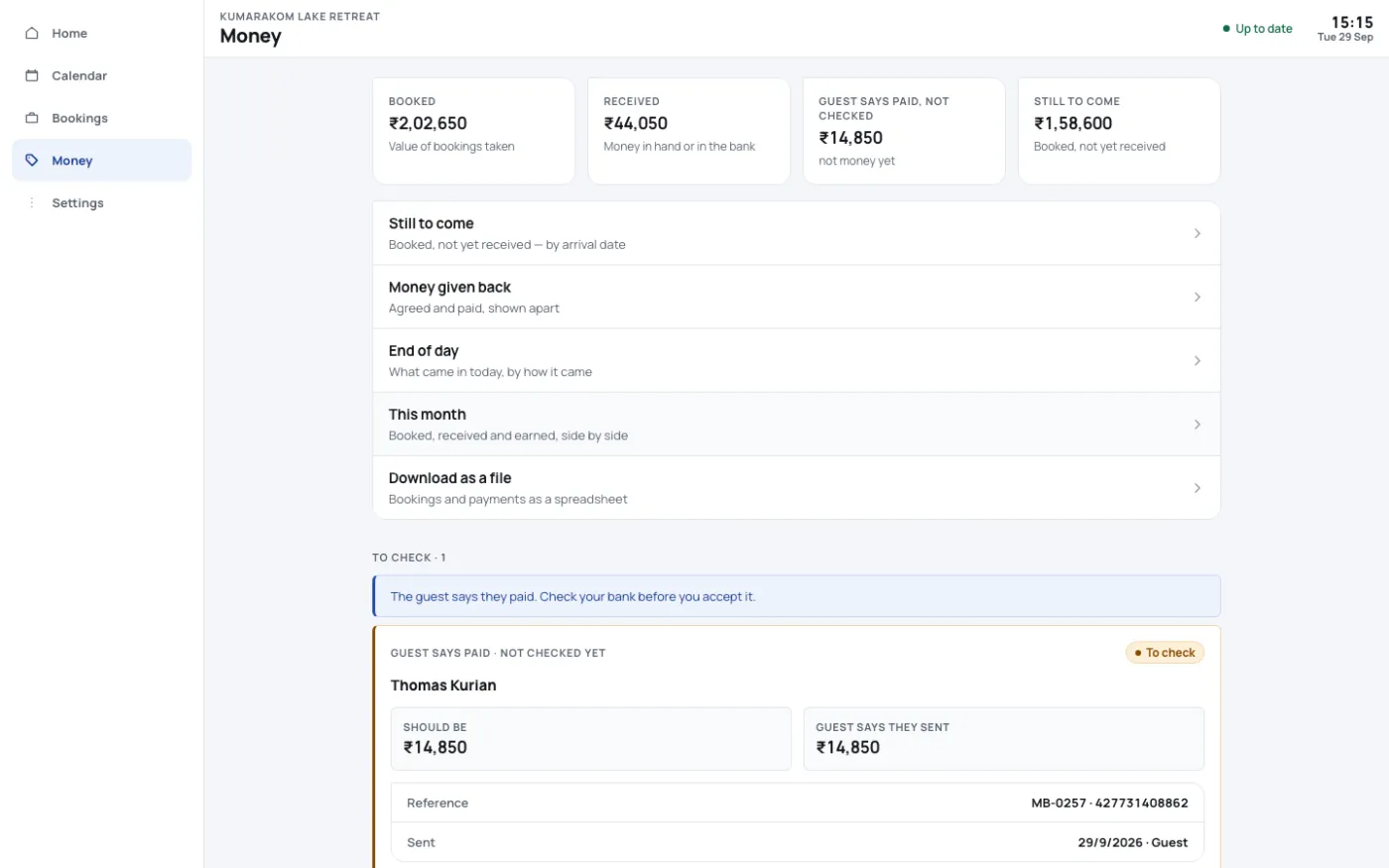
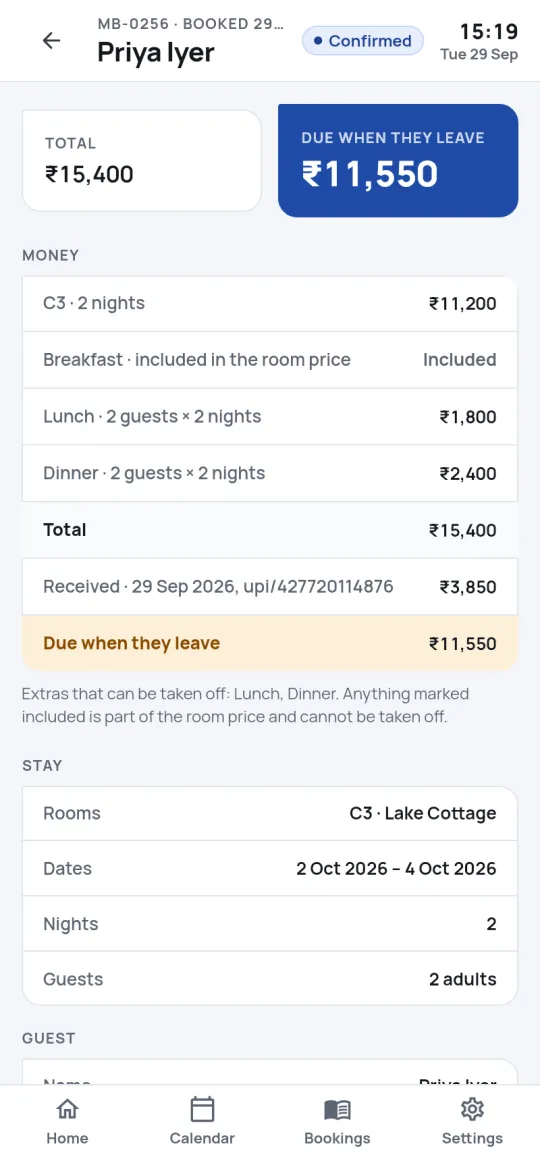
“Payments to check” on the home screen. One tap confirms it, and the booking turns confirmed on the guest’s page too.
- 8Your teamSees them coming
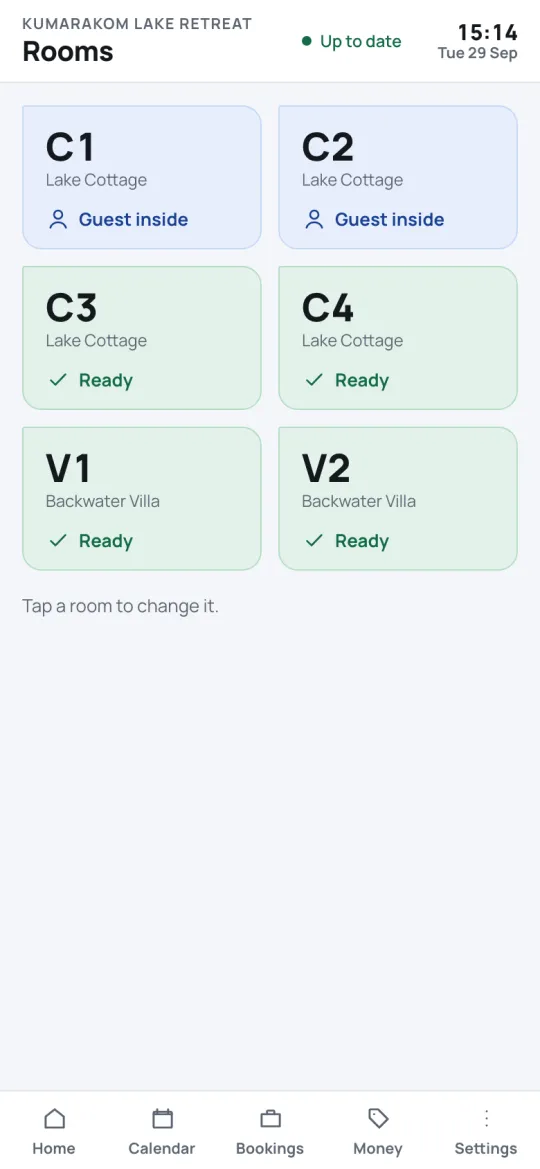
The room board and the arrivals list say who arrives today, in which room, and what is still to pay.
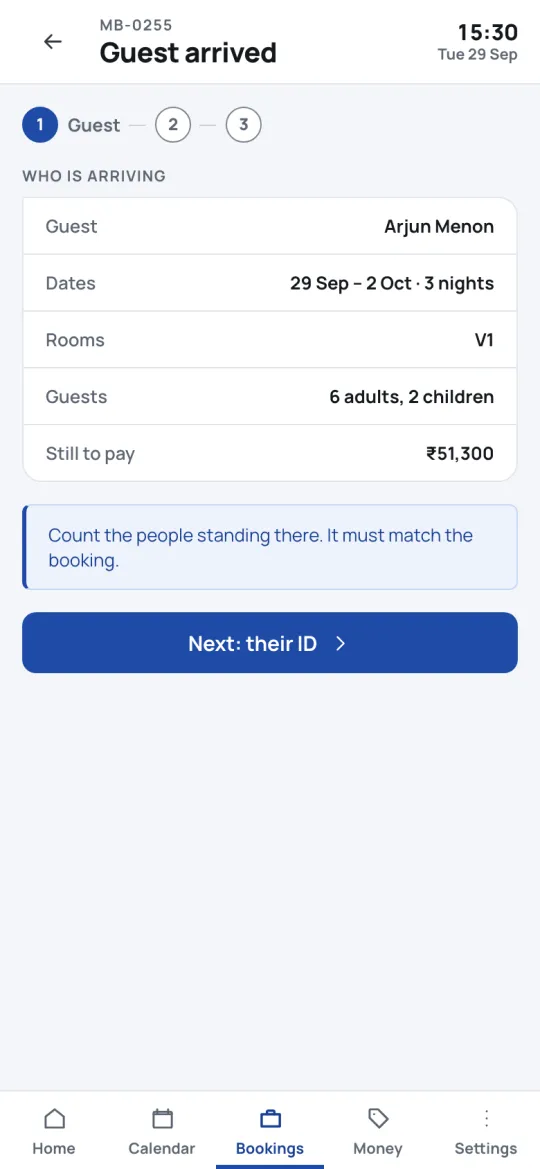
- 9Your teamChecks them in
Count the people standing there, record the ID with consent — only the last four digits are kept — and hand over the keys.
- 10Your teamSettles and says goodbye
Take the balance, print or share the bill, and the room goes to housekeeping for turnaround.
Not taking online payments yet? Switch online booking off and the same page asks guests to request their dates instead — your team replies from the app, and nothing is held until you say so.
Part 1 · Your booking page
What your guest sees, screen by screen
Built for a phone first, because that is where most guests are. Swipe through the steps, or tap any screen to see it larger.
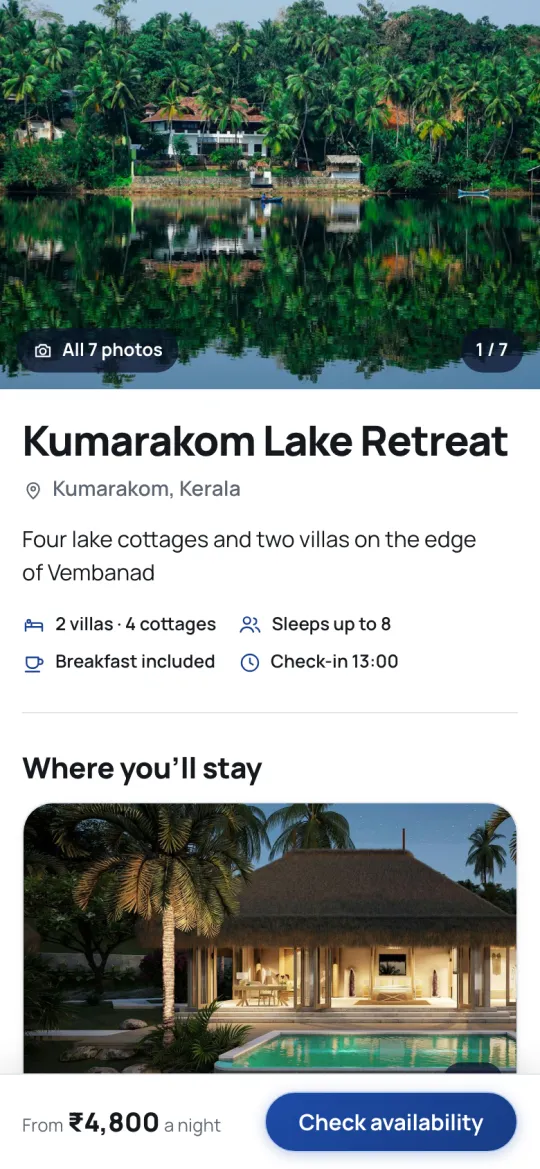
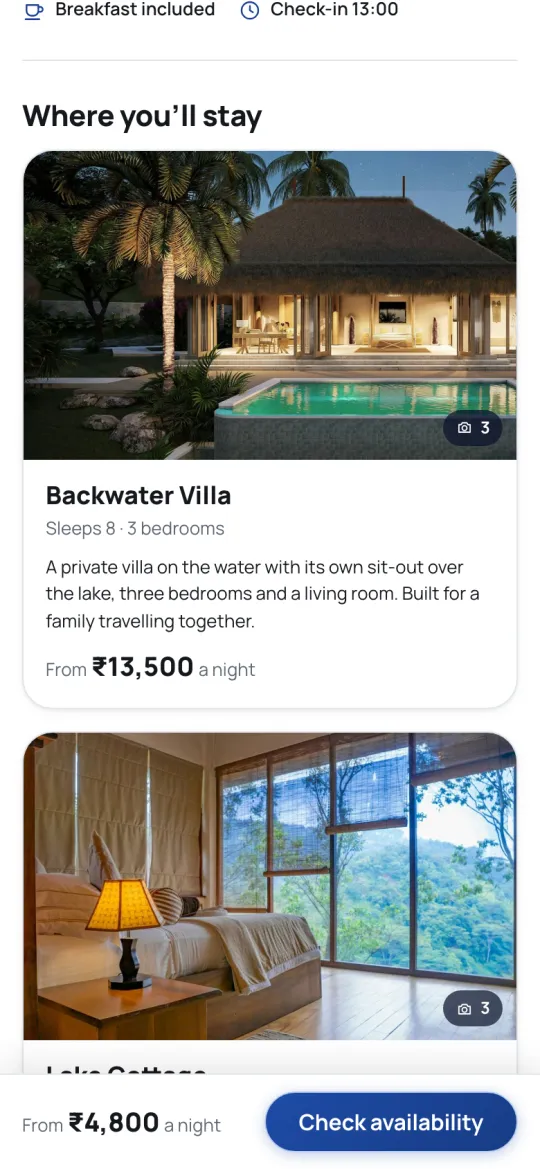
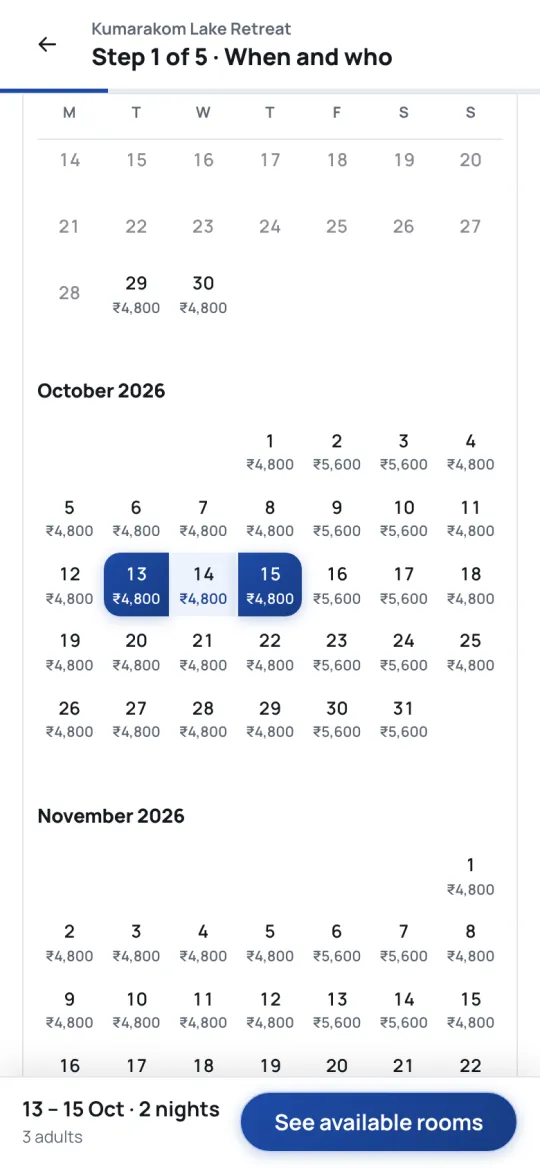
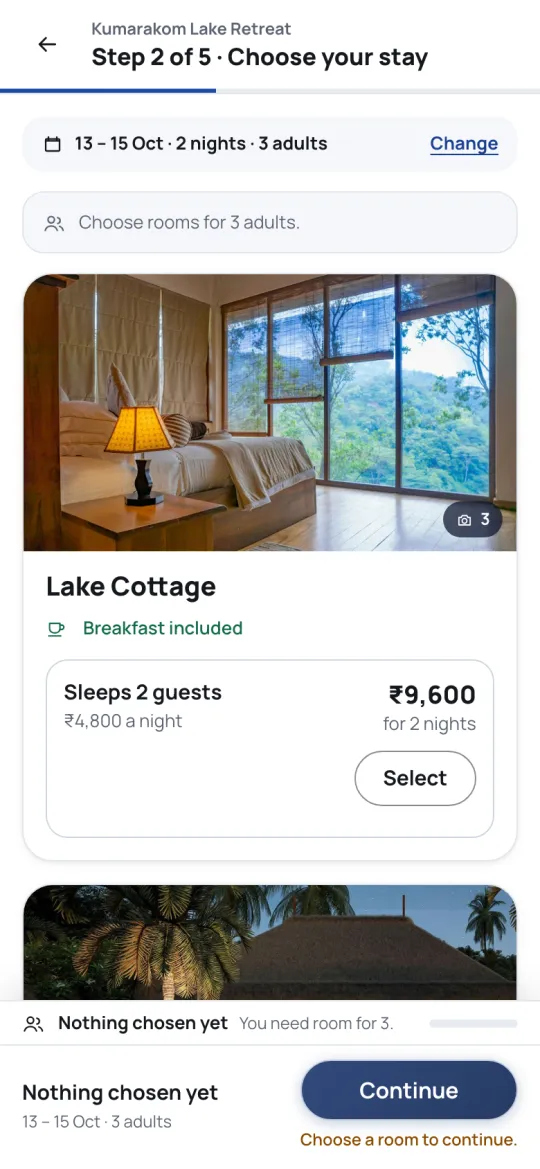
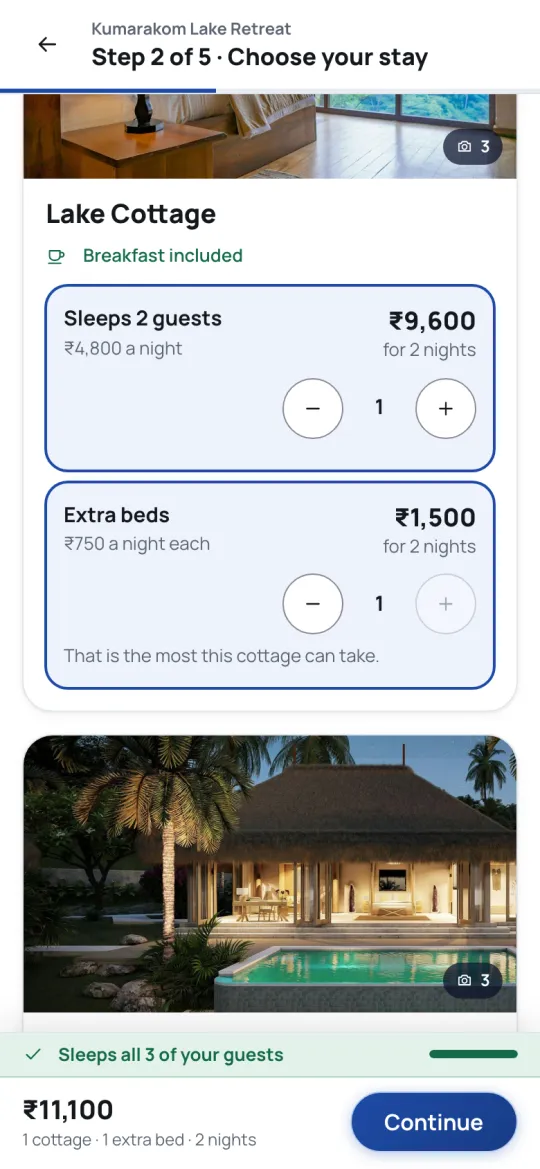
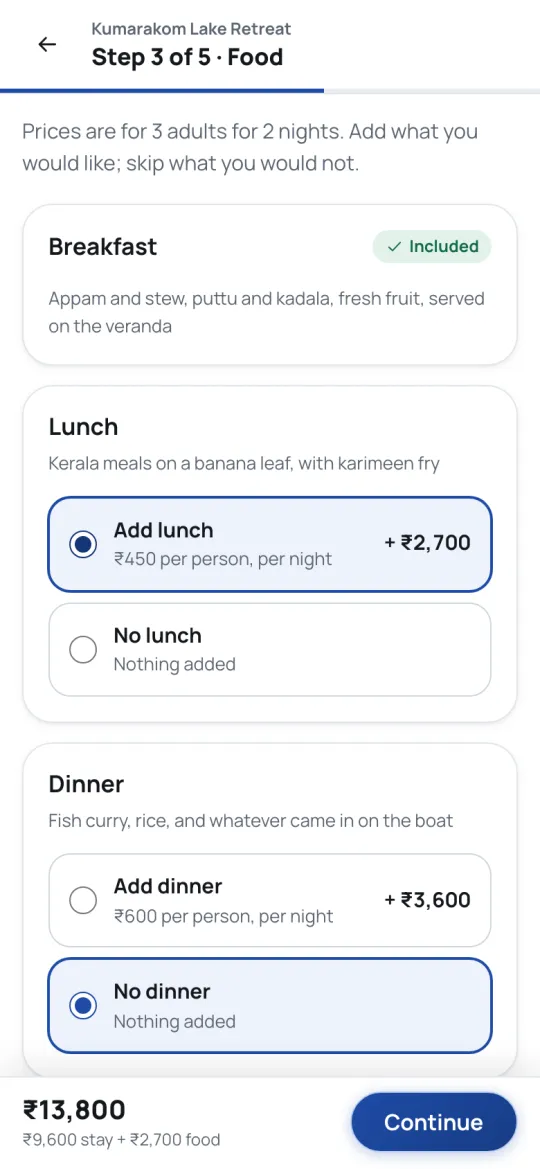
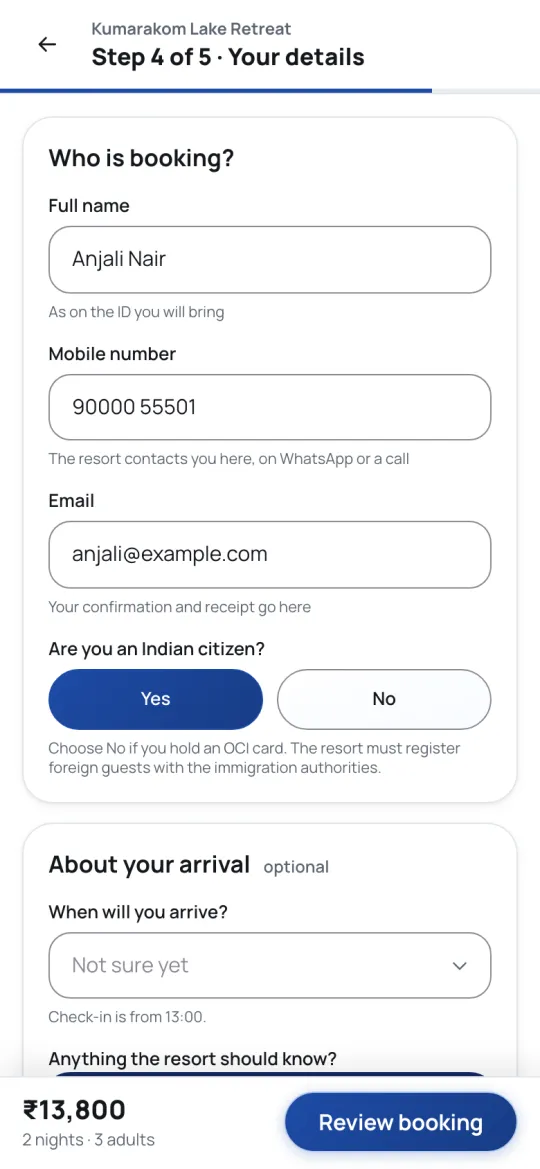
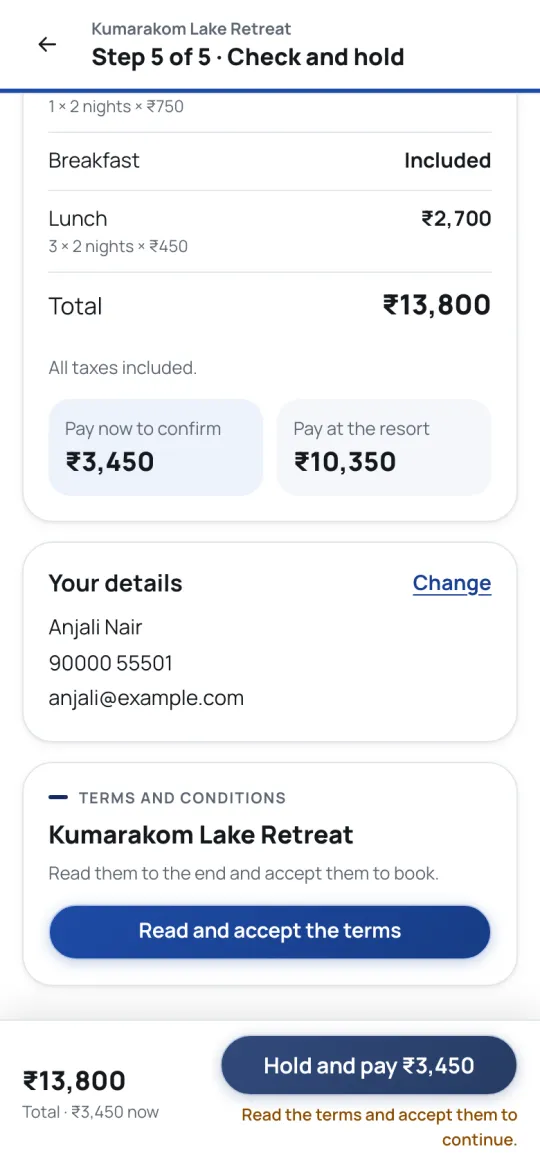
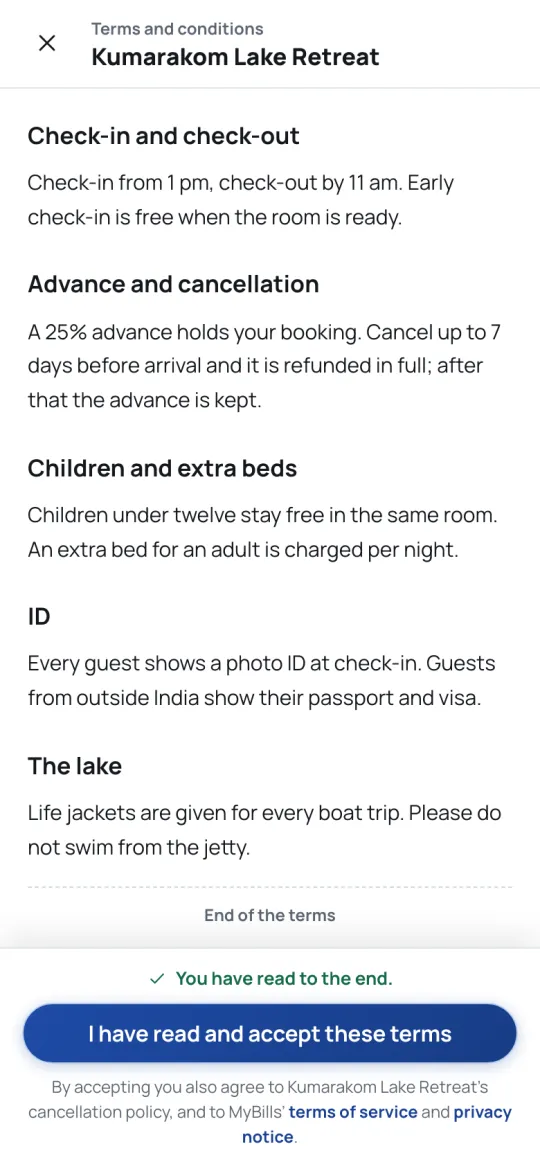
On a laptop, the booking panel stays beside the rooms
Guests planning a family trip often do it on a computer. The page widens into two columns, with the running total and every line in it always in view.
- Your own short address to share, and a second one that never changes
- Takes bookings day and night, with no double bookings — the database refuses them
- Tap a room’s photo to see all of its photographs
Part 2 · Each booking’s own page
Every booking gets a private page, just for that guest
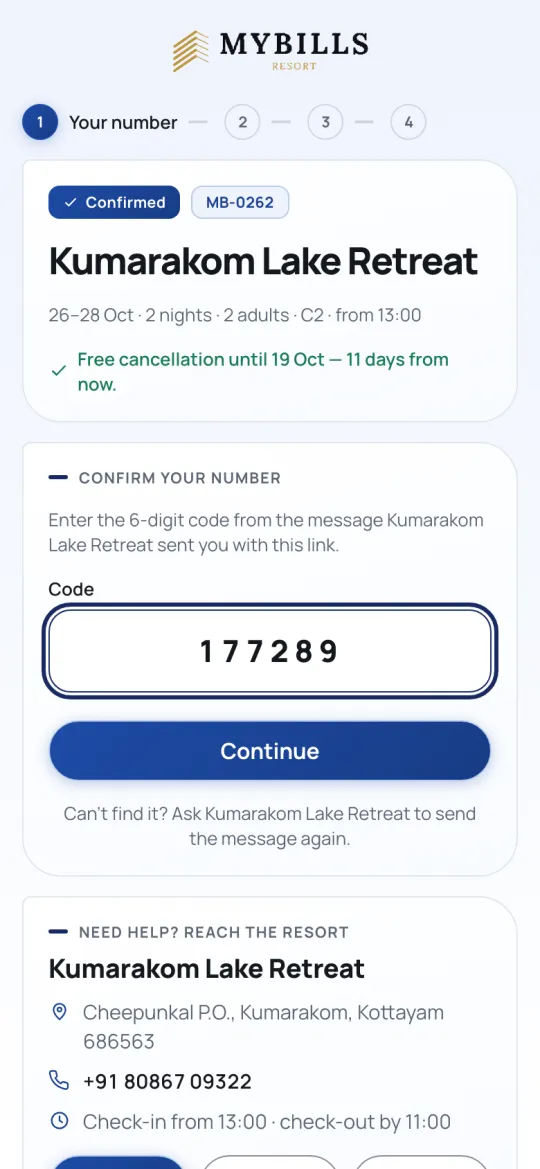
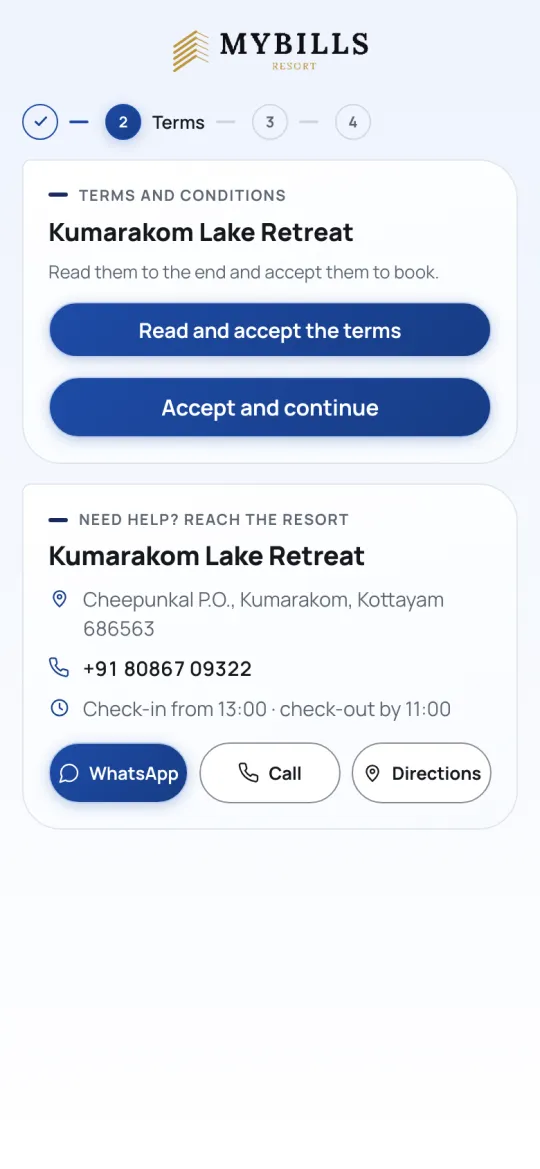
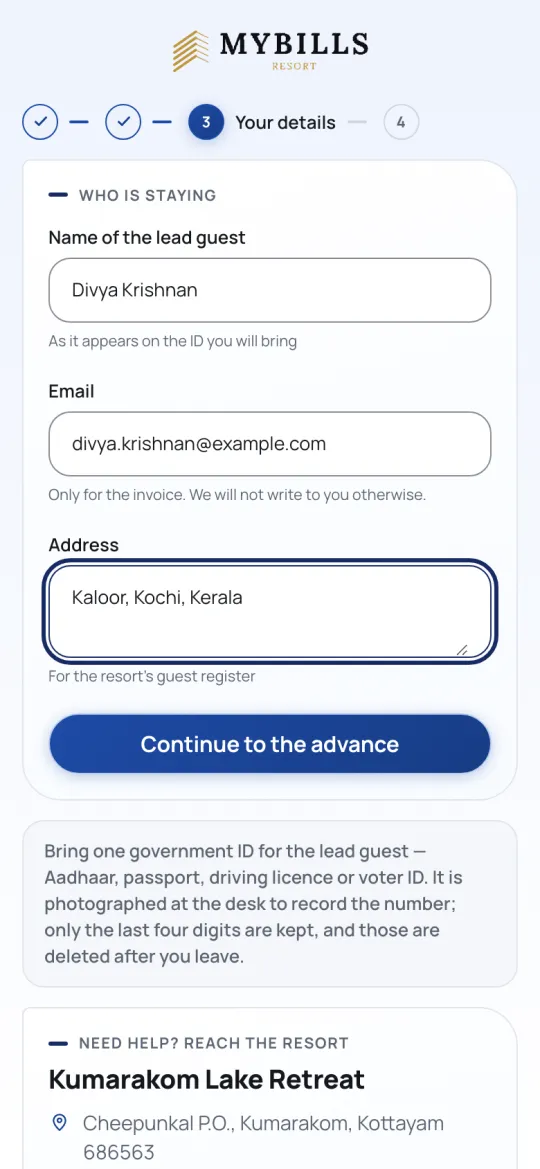
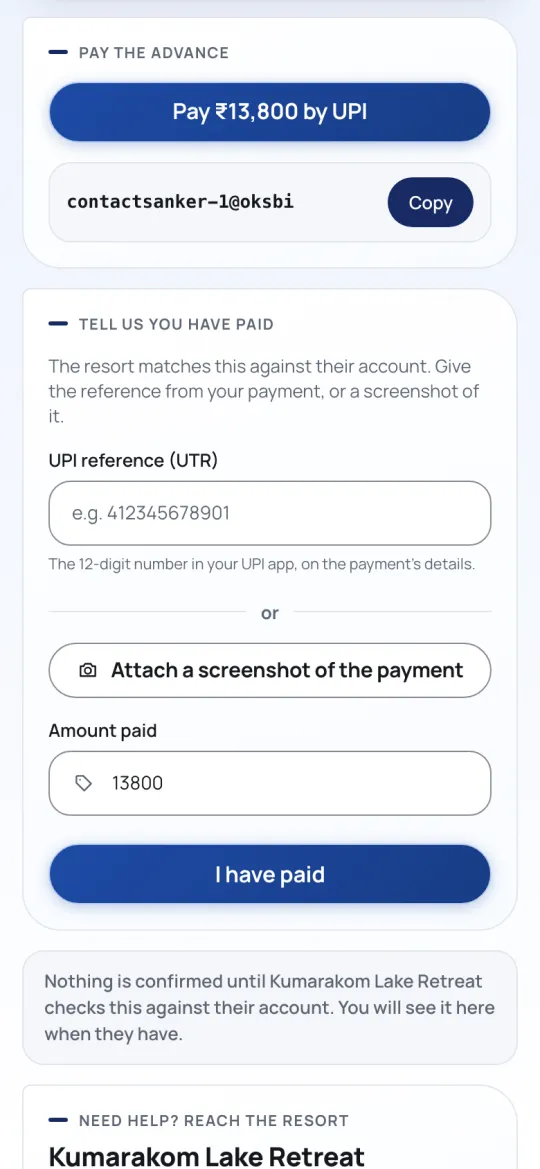
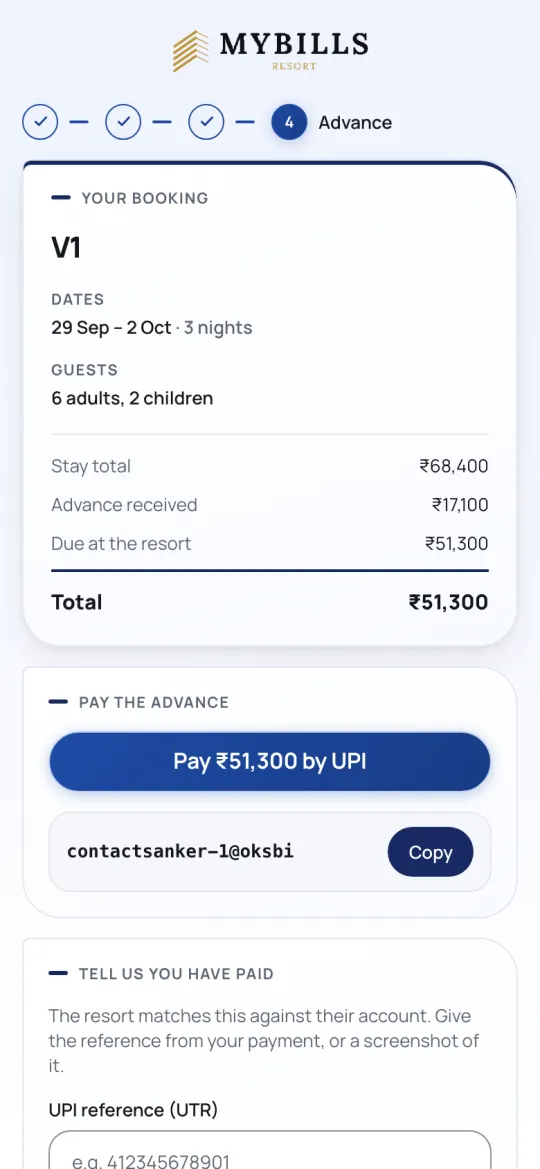
You won’t find it in a menu, because it isn’t a page anyone browses to. Each booking has its own secret link — resort.mybills.co.in/b/… — that only that guest receives. It is where they see their booking, pay the advance and check whether you have confirmed their payment, so you stop getting “has my money reached you?” calls.
How the guest gets their link
They are taken straight to it after paying, and the link is in their confirmation email and on the PDF. Nothing for you to do.
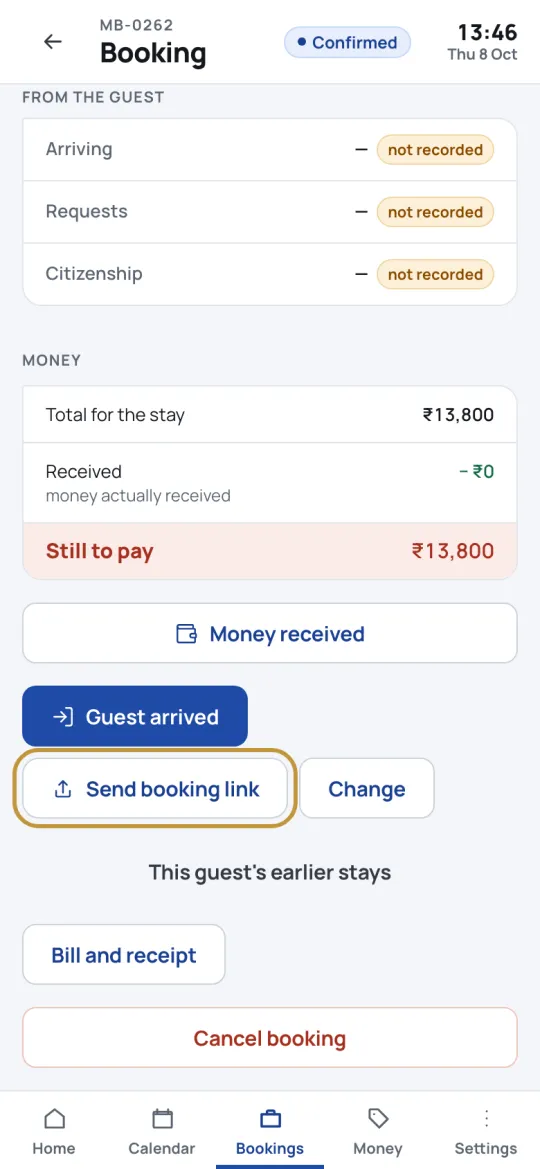
Open the booking in the staff app and press Send booking link. WhatsApp opens on your phone with the link and a six-digit code already written — you press send.
Open any booking, press Send booking link, then Copy the message and open the link in your browser. You see exactly what your guest sees.
What your team does
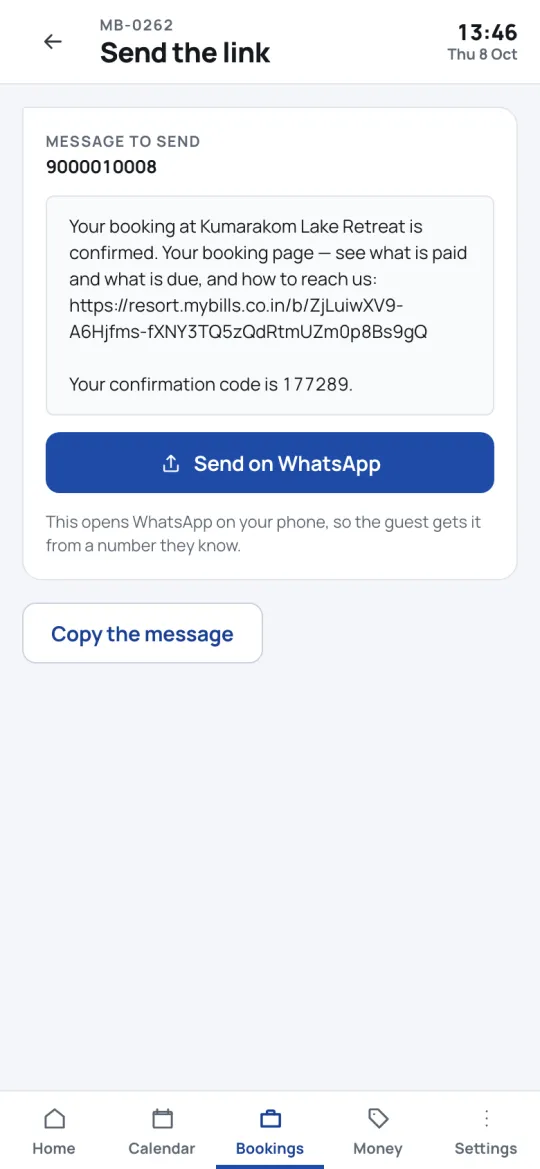
What the guest sees when they open it
Part 3 · The staff app
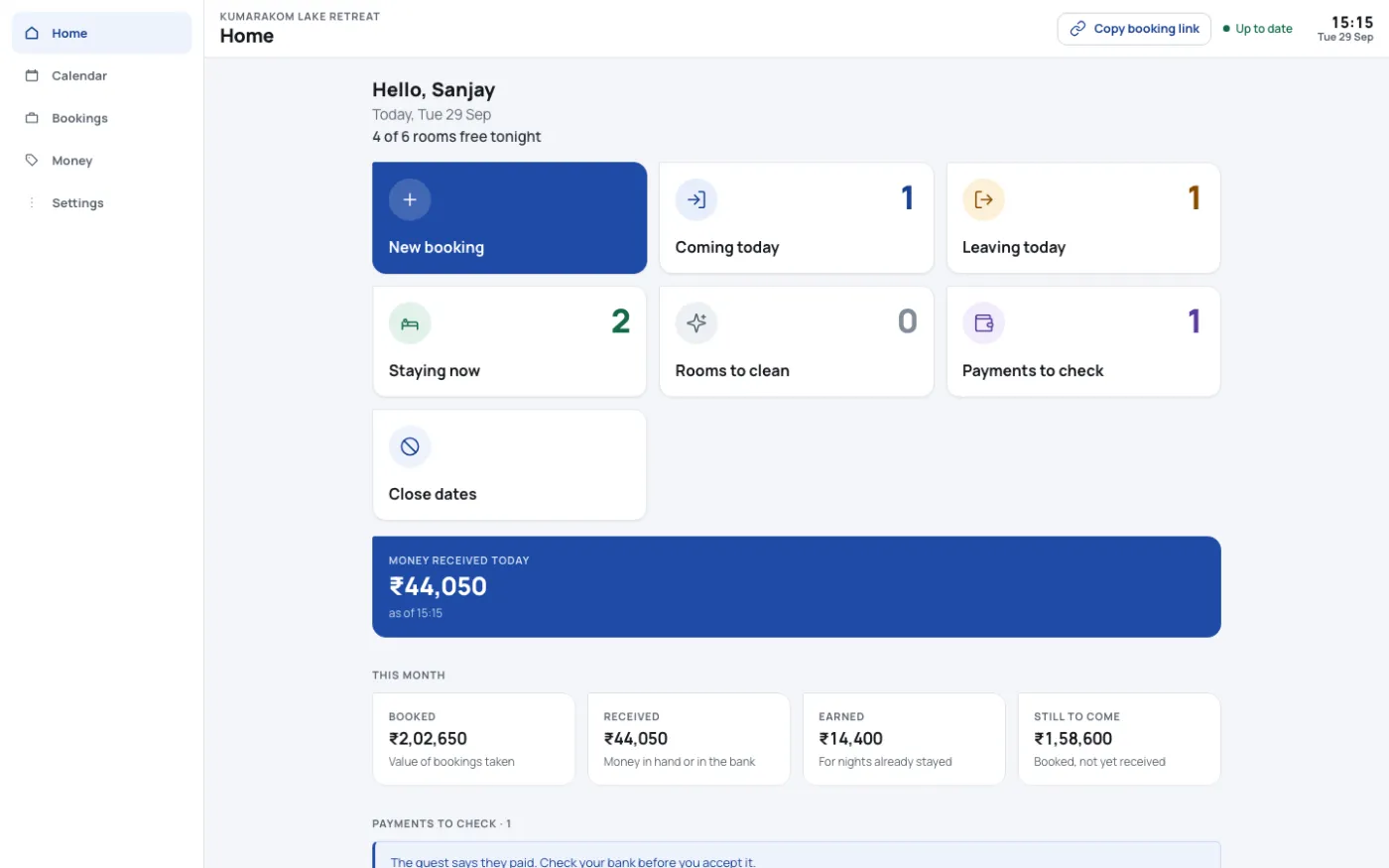
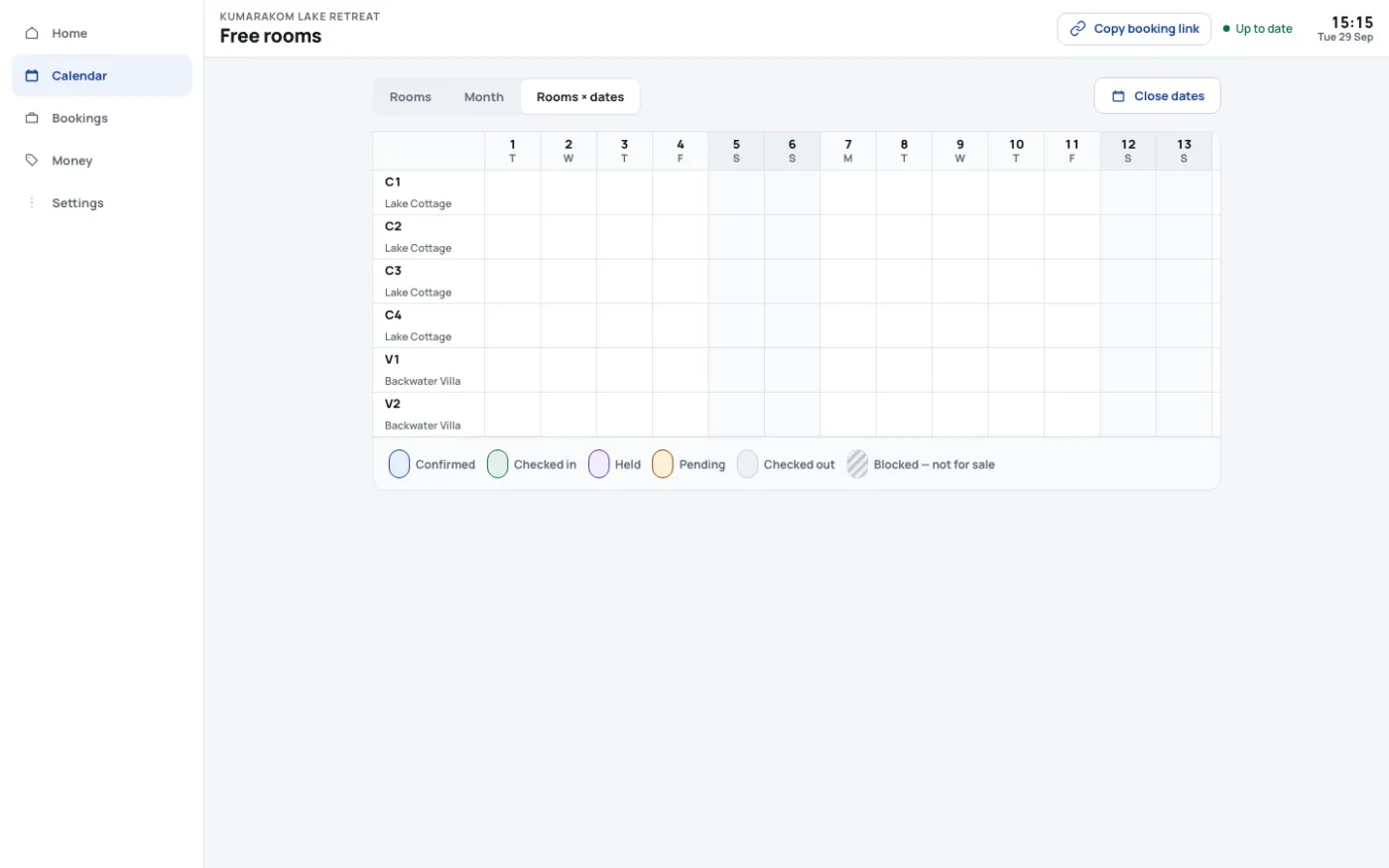
Your front desk, on any phone or computer
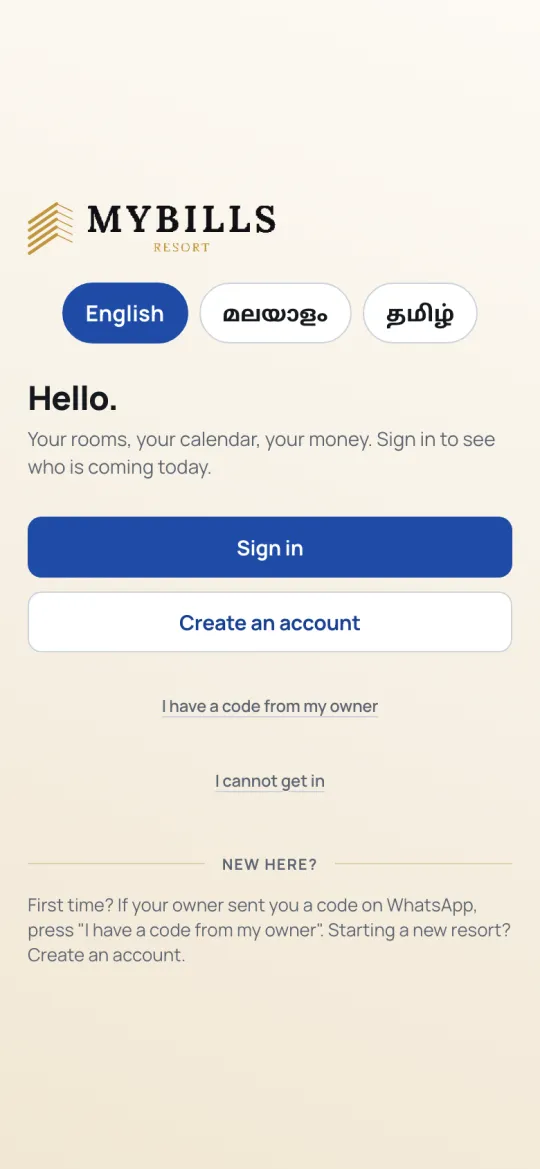
Open resort.mybills.co.in/staff. Each person signs in as themselves, so every booking carries their name — and sees only what their role allows.
Every day at the desk
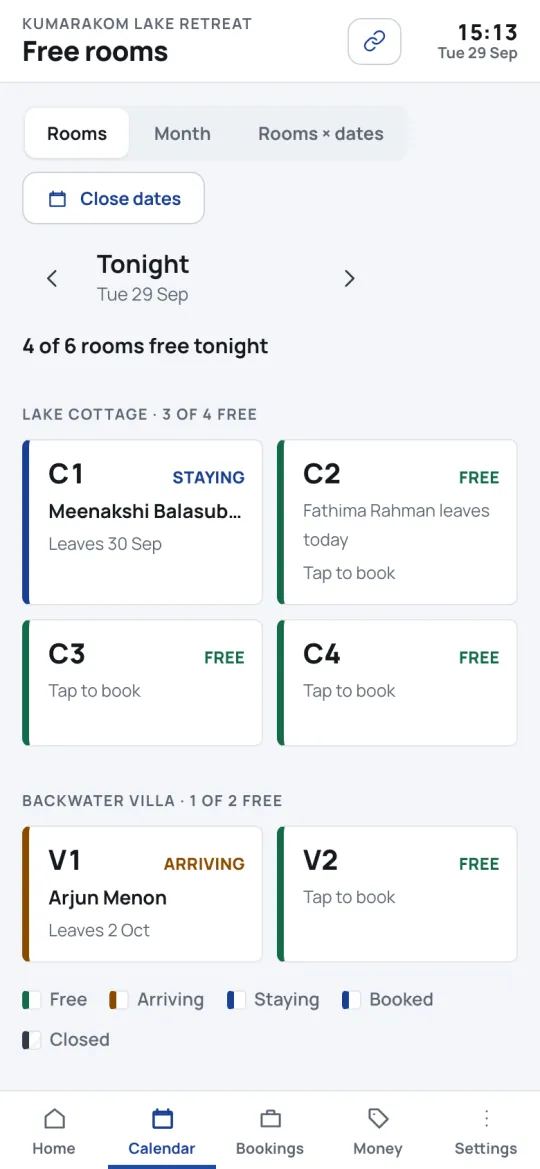
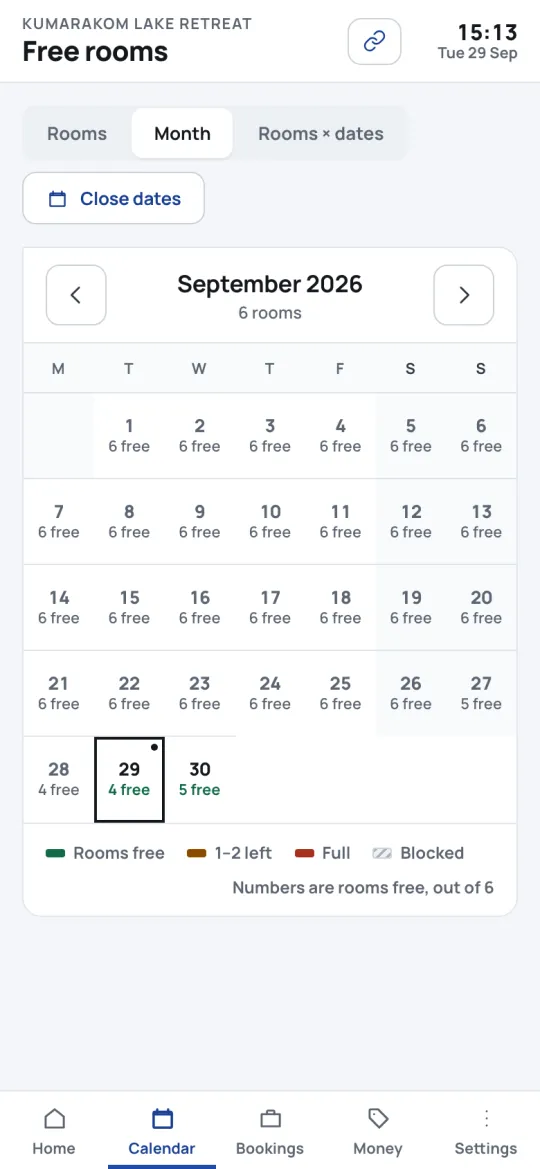
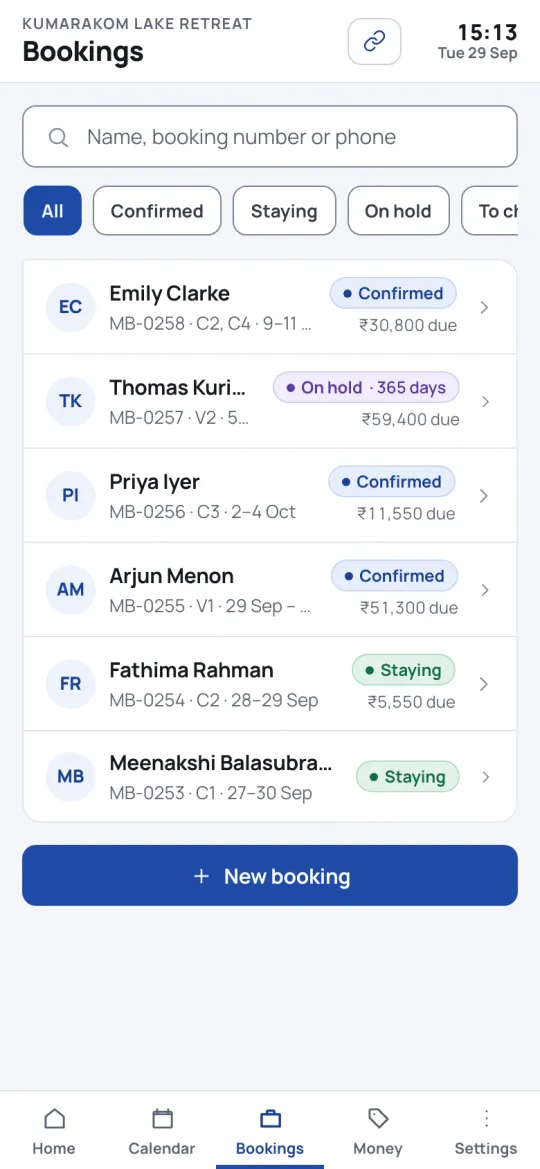
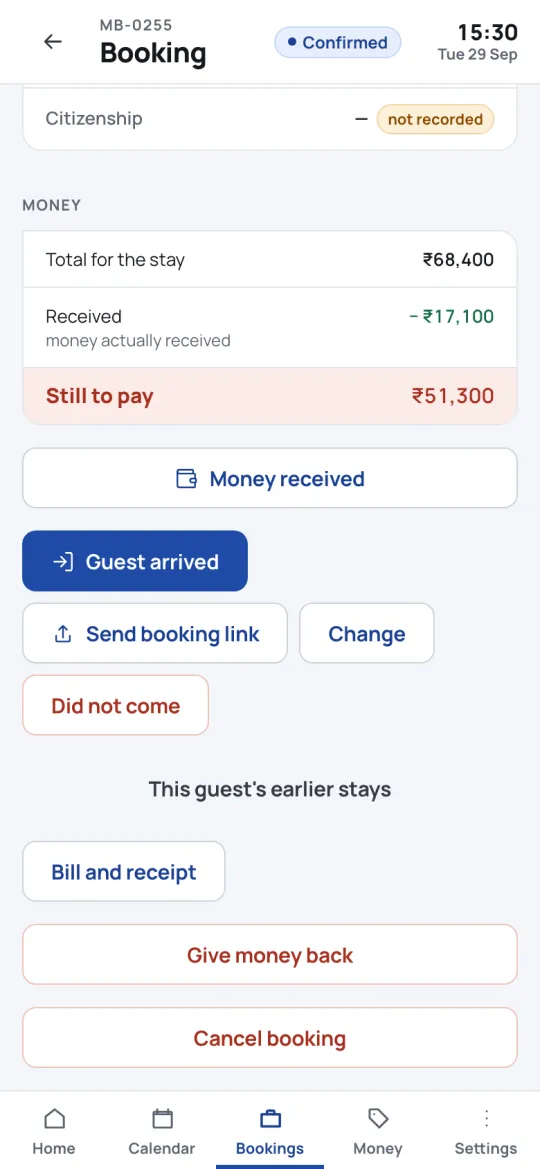
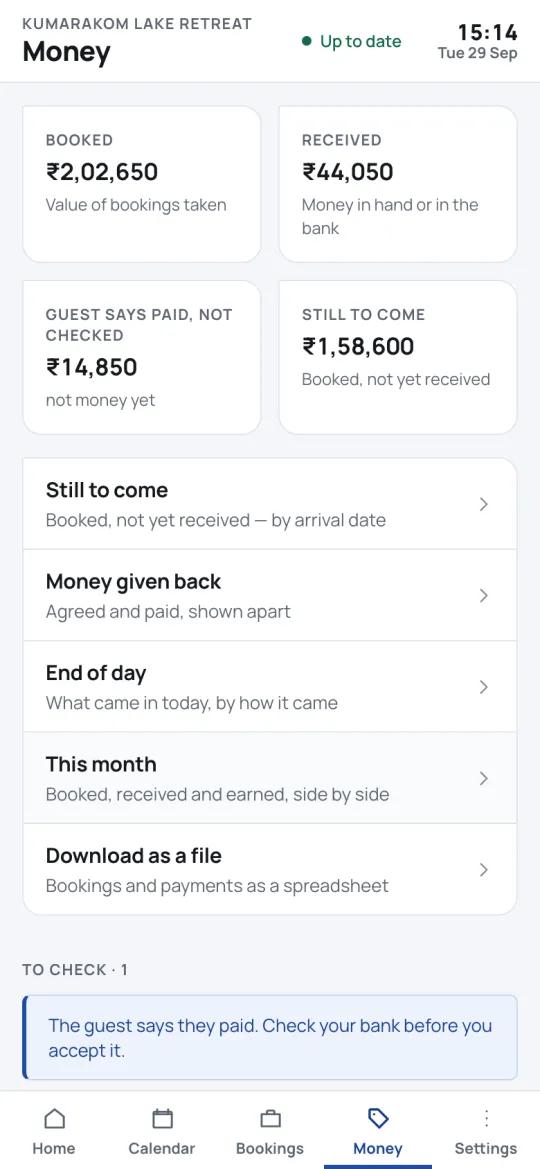
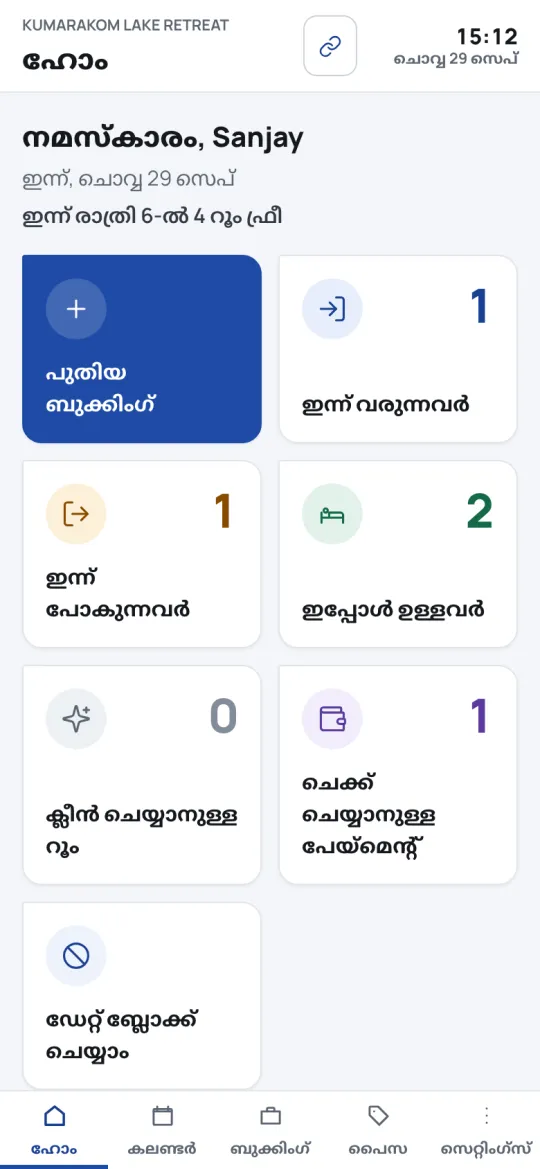
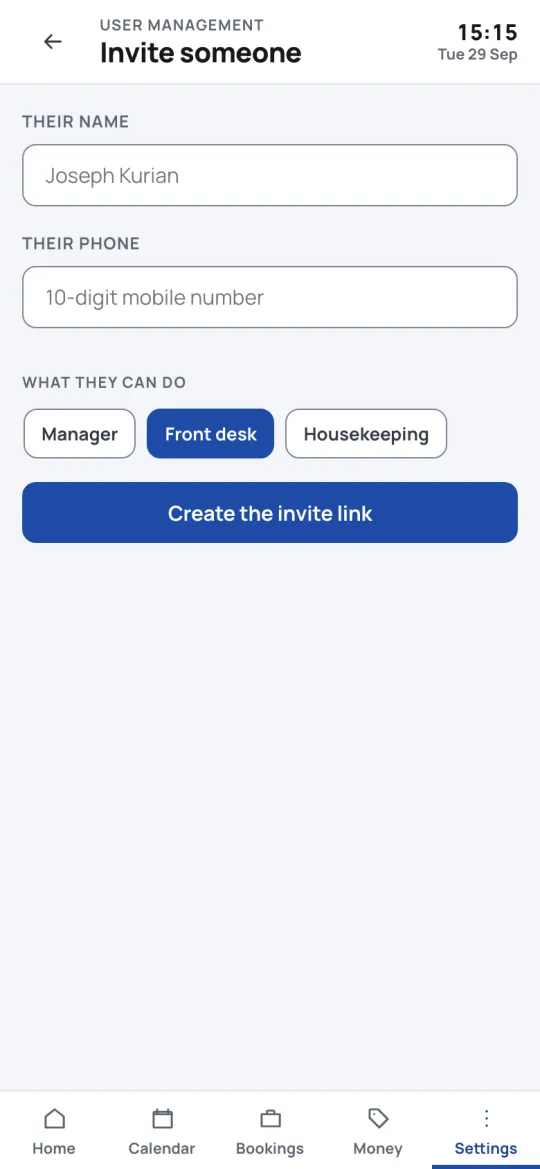
Setting up, once
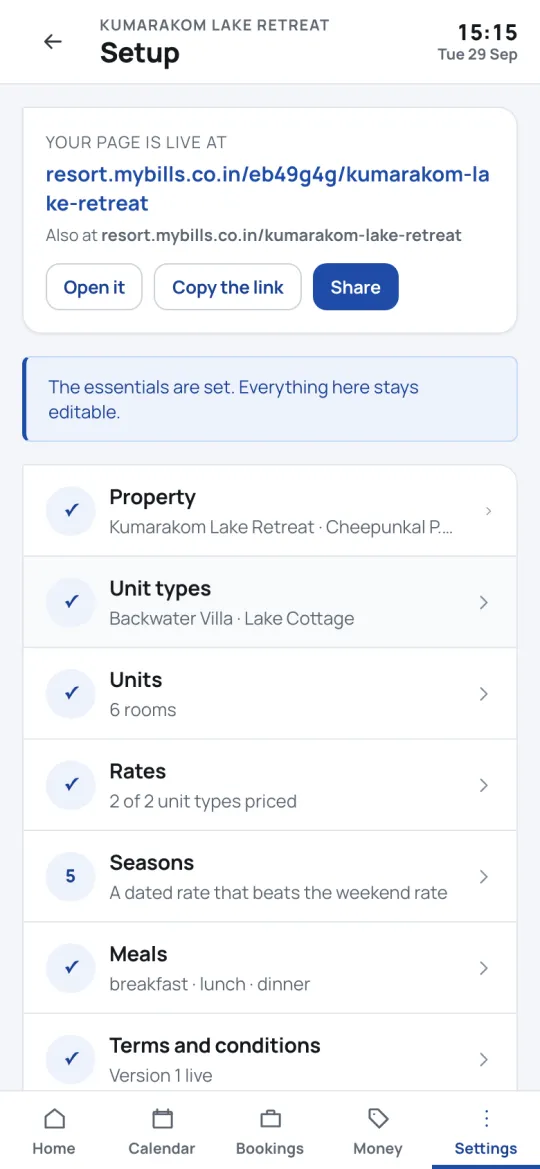
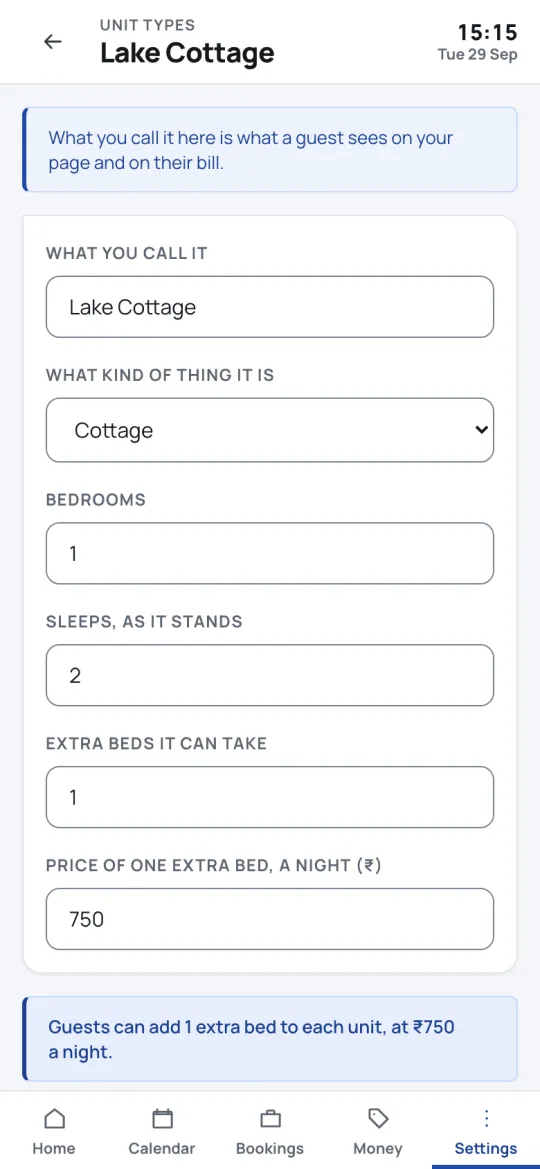
Part 4 · The Android app
The same account, as an app that keeps working
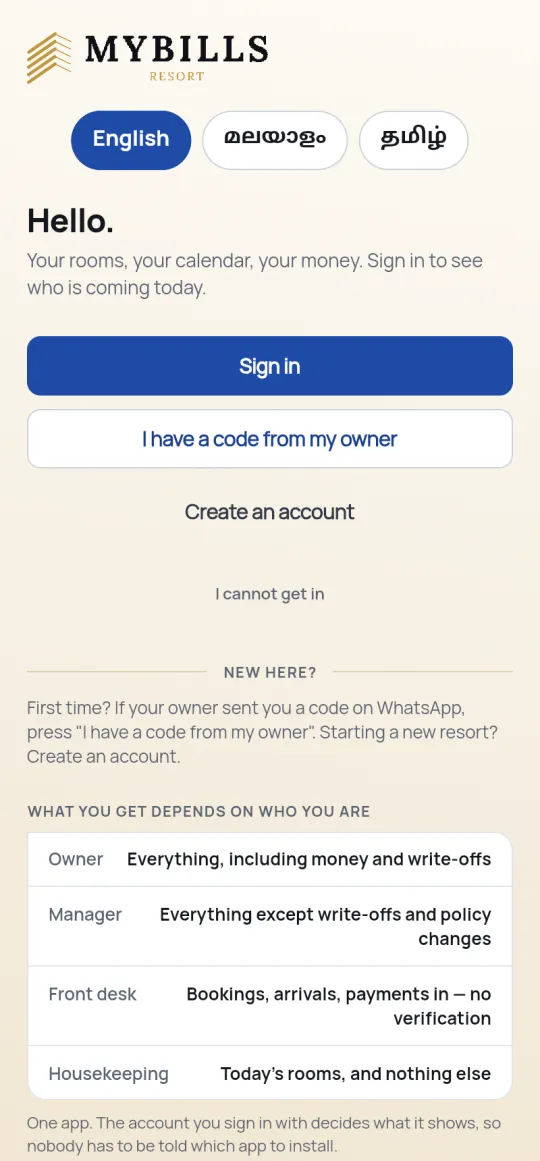
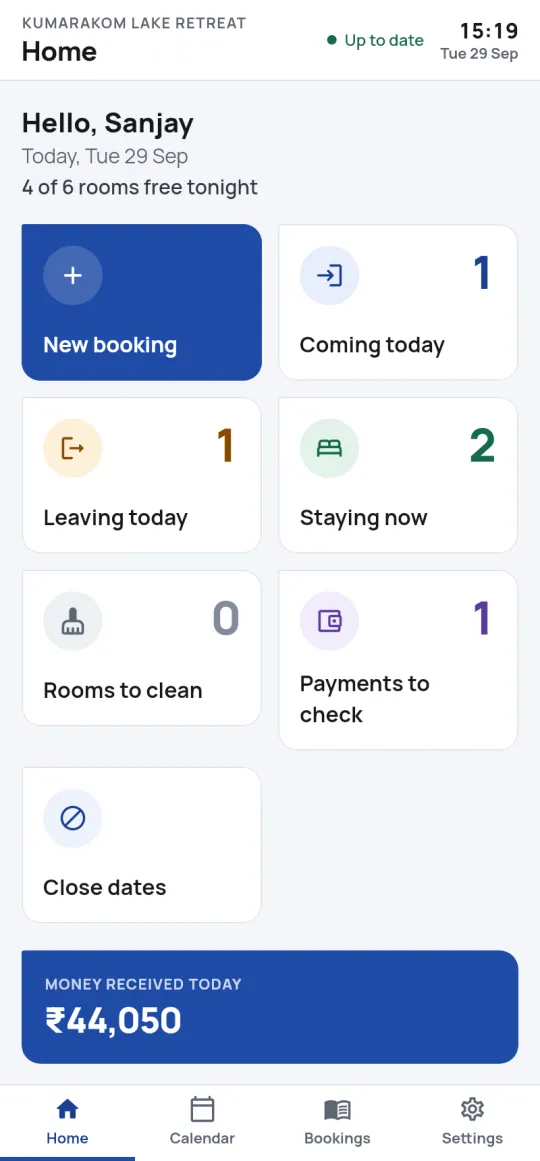
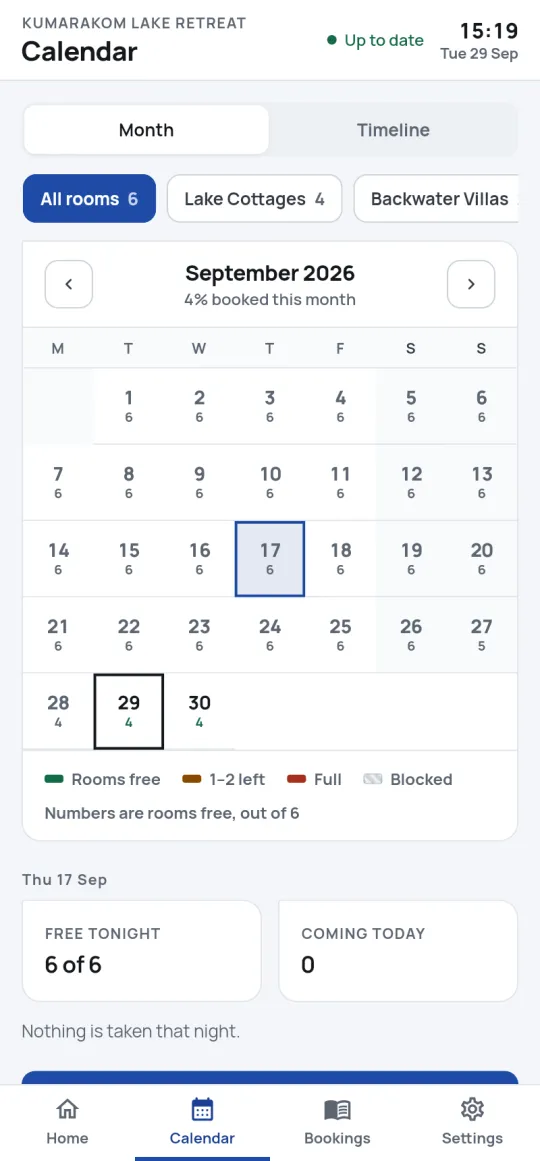
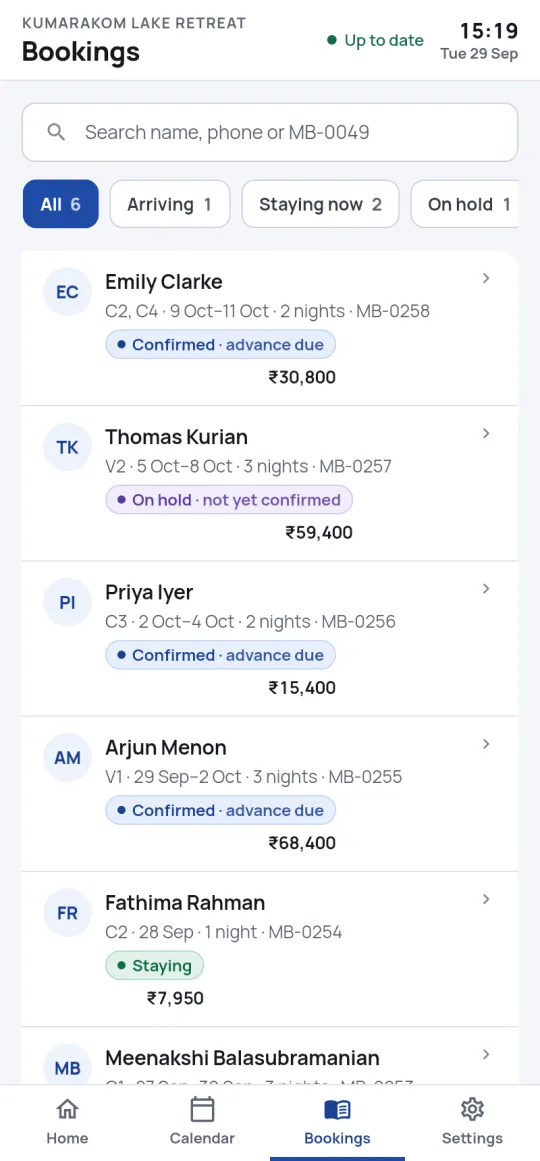
Built for the desk phone that lives at reception. Everything in the staff app, plus the things only an installed app can do.
- Works offline
Sixty days either side of today are kept on the phone, so arrivals and room status still open with no signal.
- PIN or fingerprint
The desk phone stays signed in and unlocks with a PIN or fingerprint — no shared password on the wall.
- Always in step
It syncs every ten minutes while open. If someone else changed a booking meanwhile, the app says what changed.
Who sees what
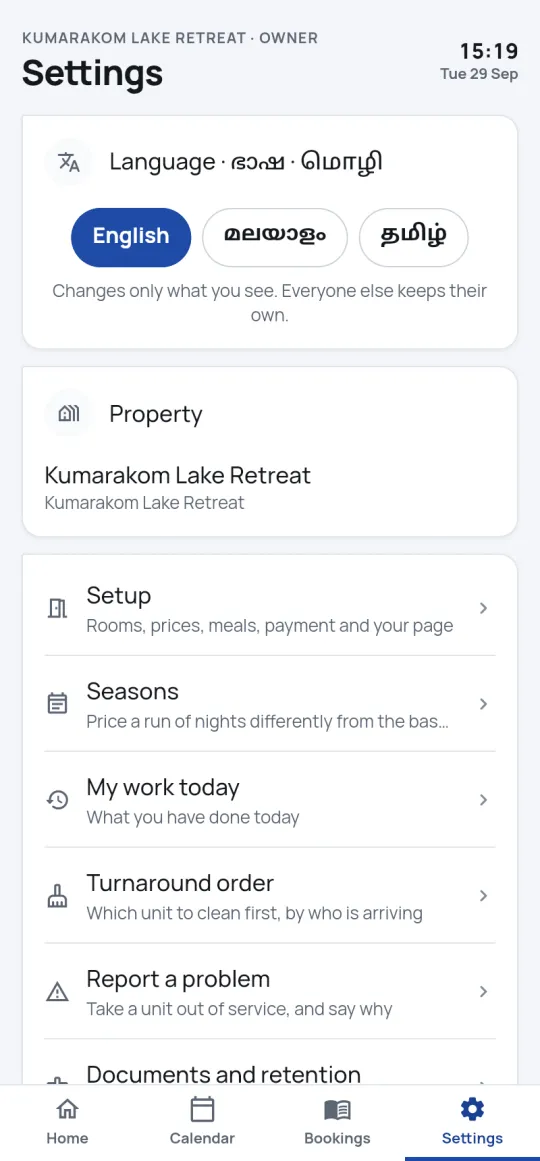
Four roles, and the app changes with each
The server enforces every one of these, not just the screen — so a front desk clerk cannot confirm their own takings, and a housekeeper never sees a guest’s phone number.
Everything: money, rates, refunds, write-offs, policies, your team and your plan.
Everything day to day, including confirming payments. Cannot add another manager or change policies.
Bookings, arrivals, check-in and taking money. Payments they record wait for a manager to confirm.
Today’s rooms — which to clean and in what order — and nothing else.
 தமிழ்
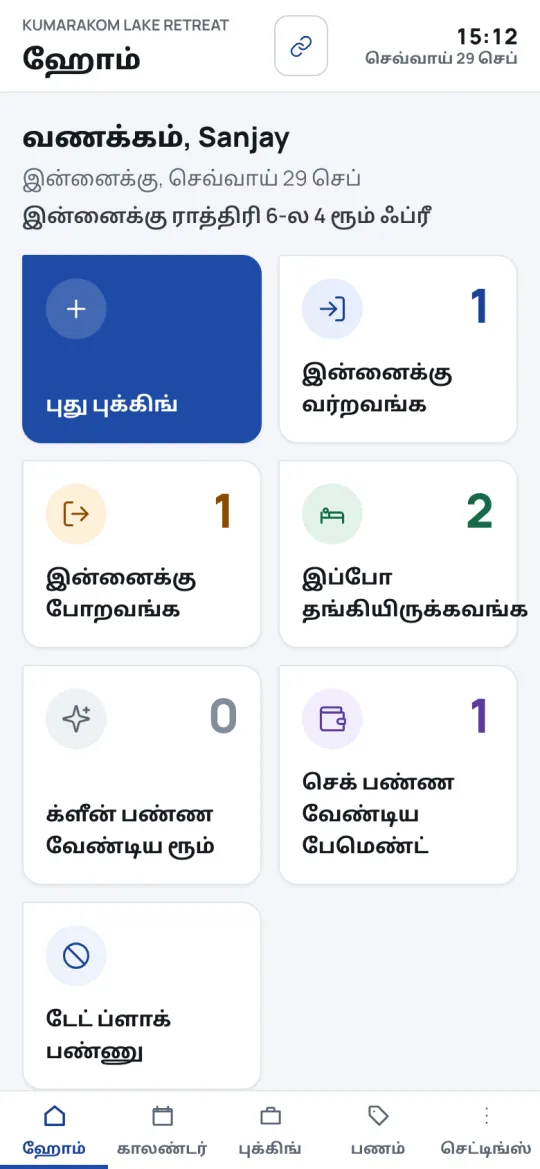
தமிழ்Staff who read little English can still run the desk
Every staff screen is in Malayalam and Tamil as well as English, written the way people speak — keeping the words staff already use, like room, booking and UPI. Each person chooses their own, on their own account.
Money & safety
Your money, your guests, your data
- No commission, ever
Guests pay you directly by UPI, bank or at the desk. The money never passes through us.
- A claim is not a payment
Nothing counts as paid until someone checks it in your bank — so a fake screenshot confirms nothing.
- No double bookings
Two guests cannot hold the same room on the same night. The database itself refuses it.
- Guest details encrypted
Names, phone numbers and ID photographs are encrypted. ID photos are deleted automatically after the retention period.
- Every change has a name
Each booking, payment and refund records who did it and when, and why when it matters.
- Backed up every night
Encrypted backups, kept on the server and off it in India, restored and checked — not just made.
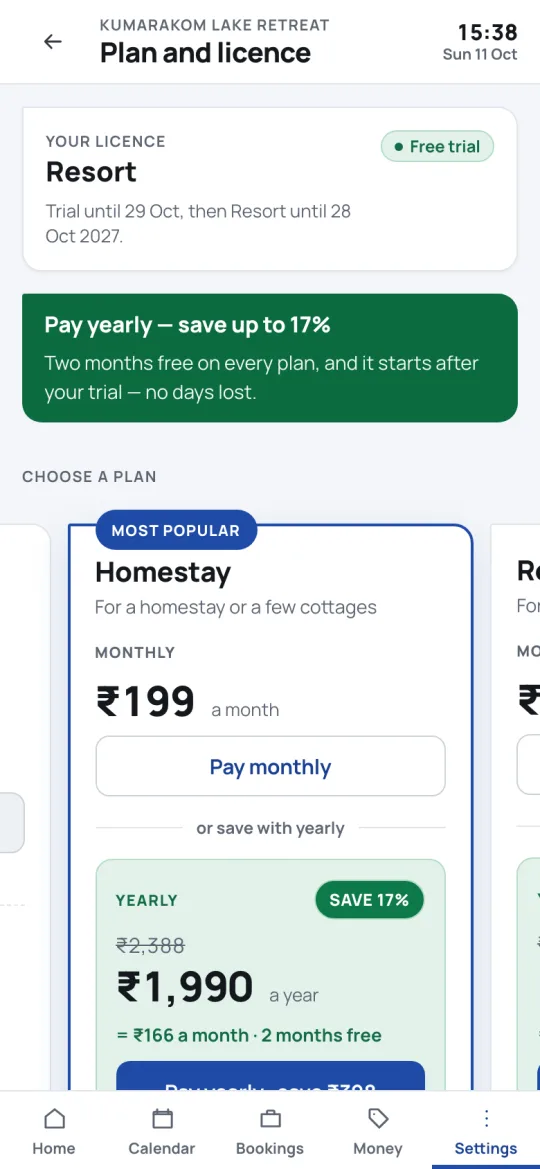
Pricing
30 days free, then a flat price
No card to start. Yearly is ten months’ price. Every plan has every feature — they differ only in size.
- Up to 4 rooms, 1 property
- 1 person signing in
- Booking page, staff app, Android app
- Up to 10 rooms, 1 property
- 3 people signing in
- Booking page, staff app, Android app
- Up to 30 rooms, 2 properties
- 8 people signing in
- Booking page, staff app, Android app
More than 30 rooms or 2 properties? Call us on +91 80867 09322 or write to support@mybills.co.in. Prices exclude GST where applicable.
See it with your own rooms
Set up tonight, share your page tomorrow. Free for 30 days, no card needed.
Questions? WhatsApp us · +91 80867 09322 · Back to the main page