
For resorts & homestays
Your own booking page.
Zero commission.
Guests see your rooms, pick their dates and pay the advance straight to your UPI. Share one link on WhatsApp or Instagram, and run the whole day from one app.
See every screen, step by step
- No card needed
- Nothing to install
- English · മലയാളം · தமிழ்
Your booking page
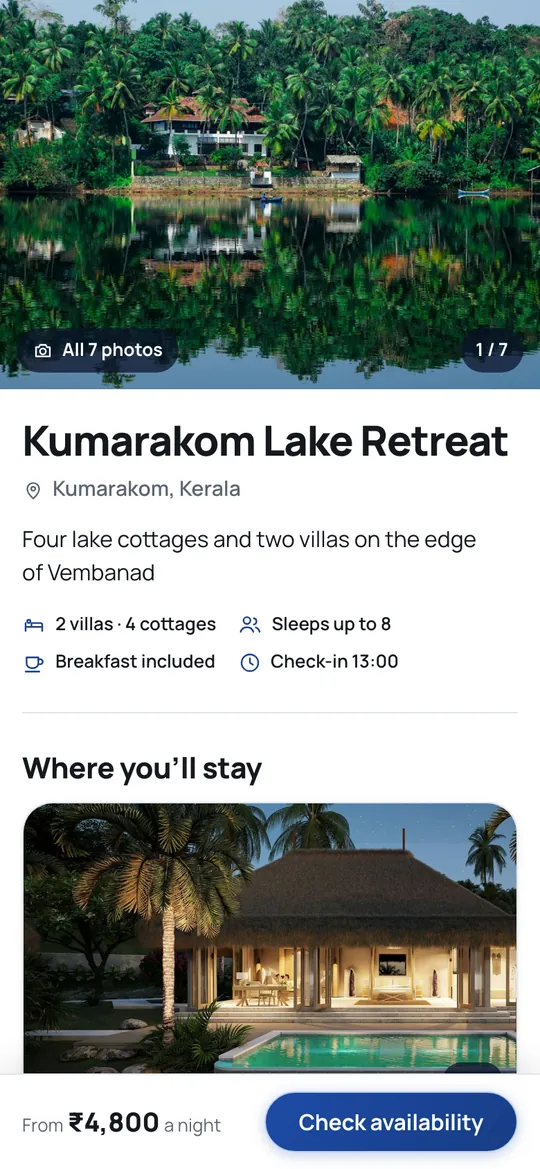
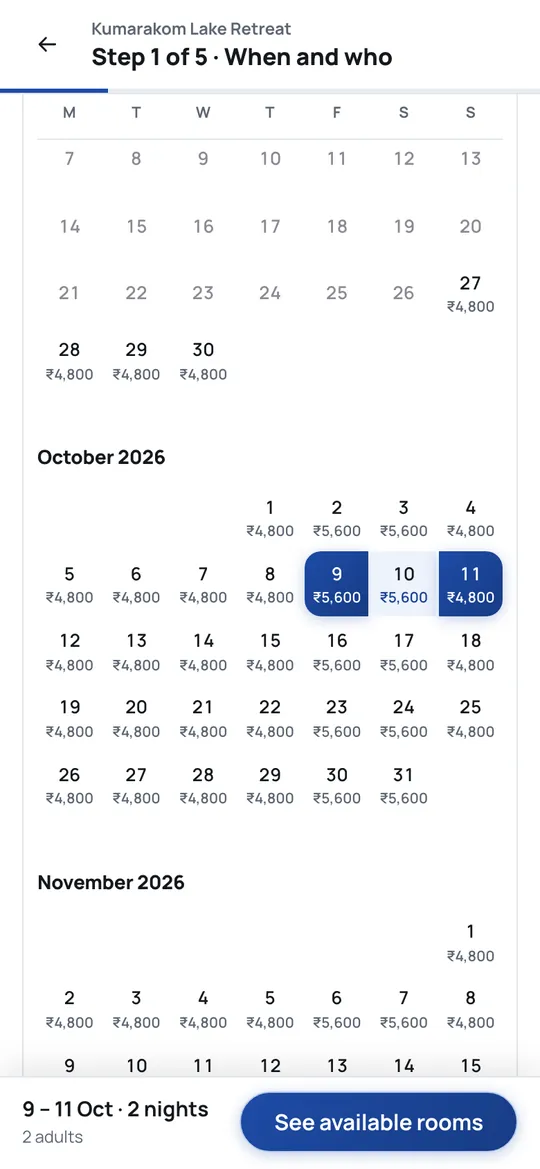
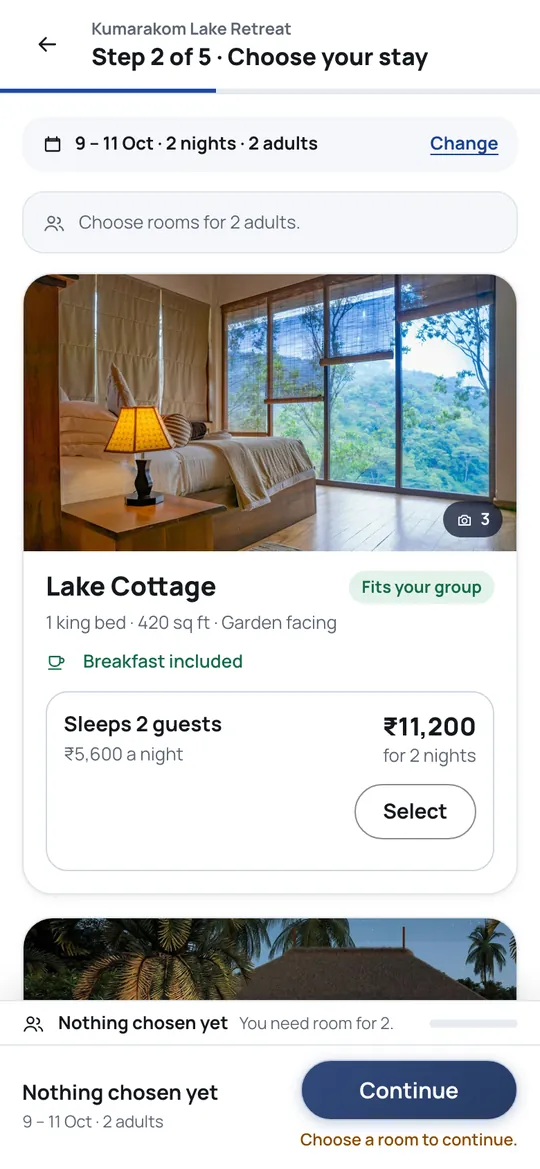
A booking page as good as the big travel sites — with your name on it
Your photographs, your rooms, your prices. Guests pick dates from a calendar that shows the price of every night, choose their rooms, and pay the advance to you. No middleman takes a cut.
The app
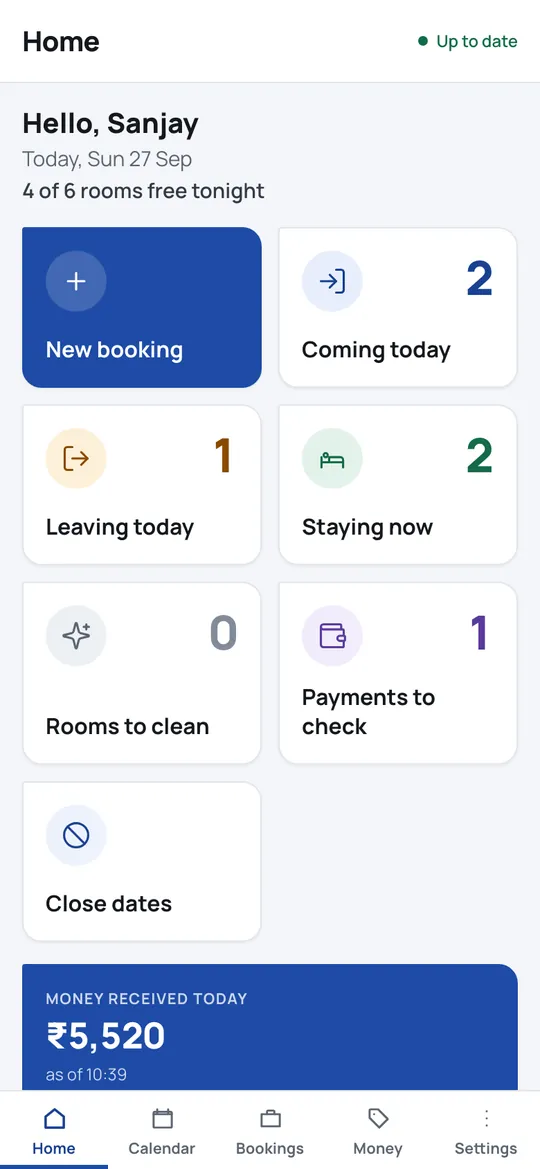
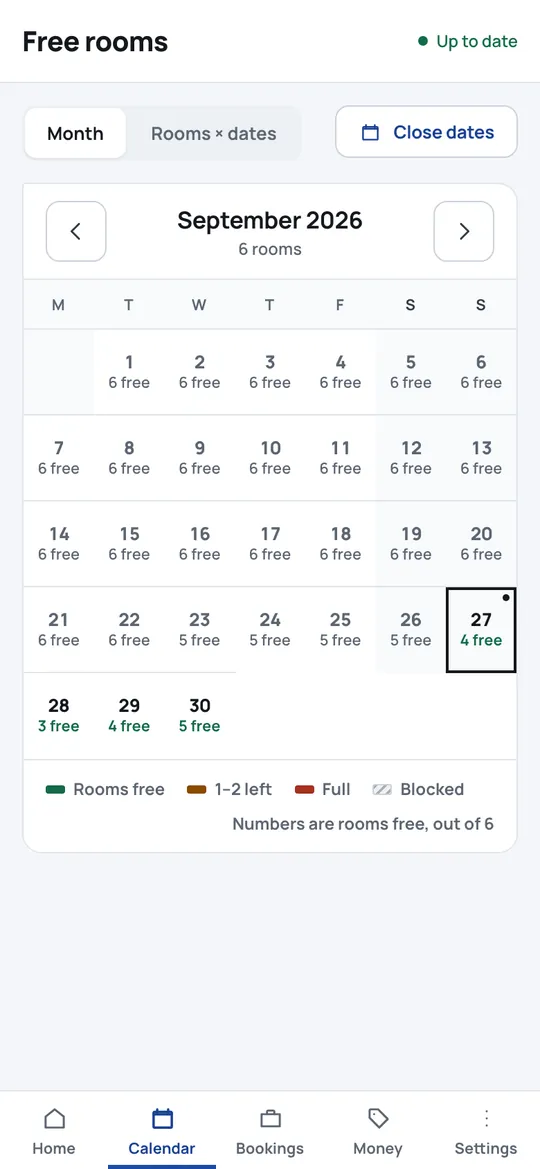
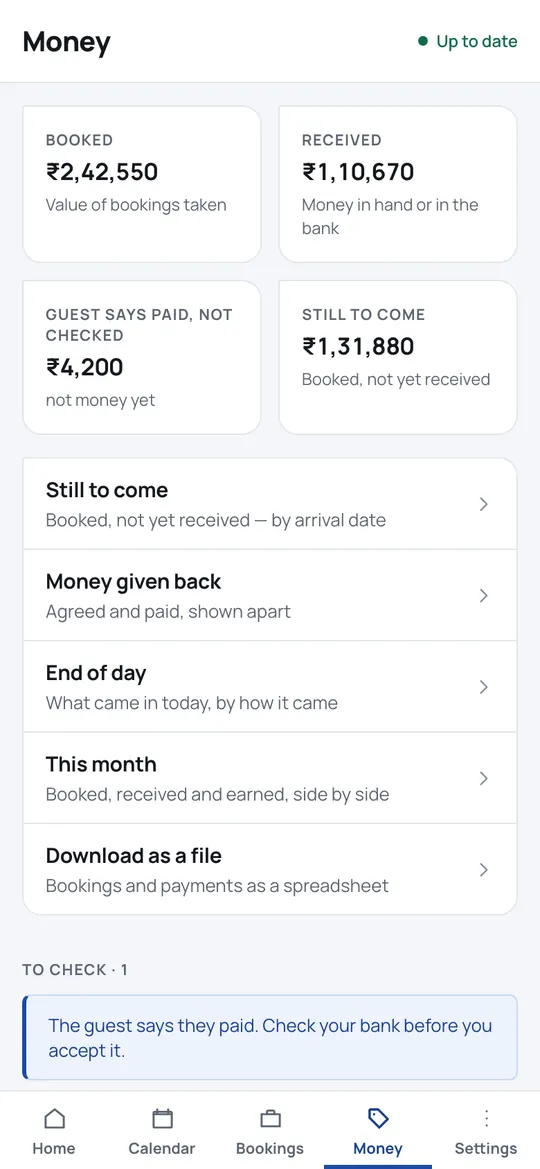
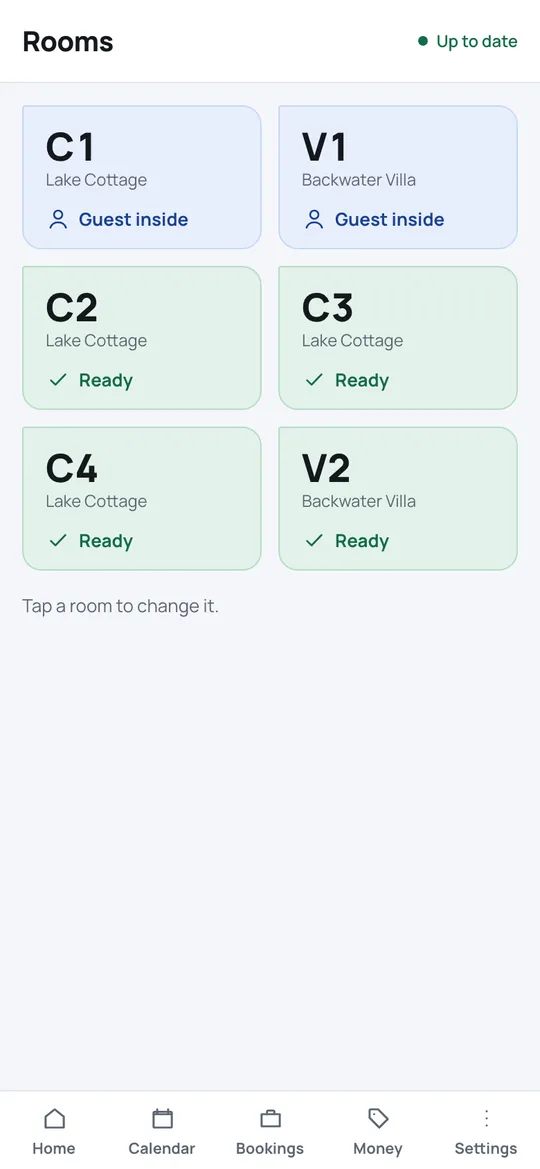
Your whole day on one screen
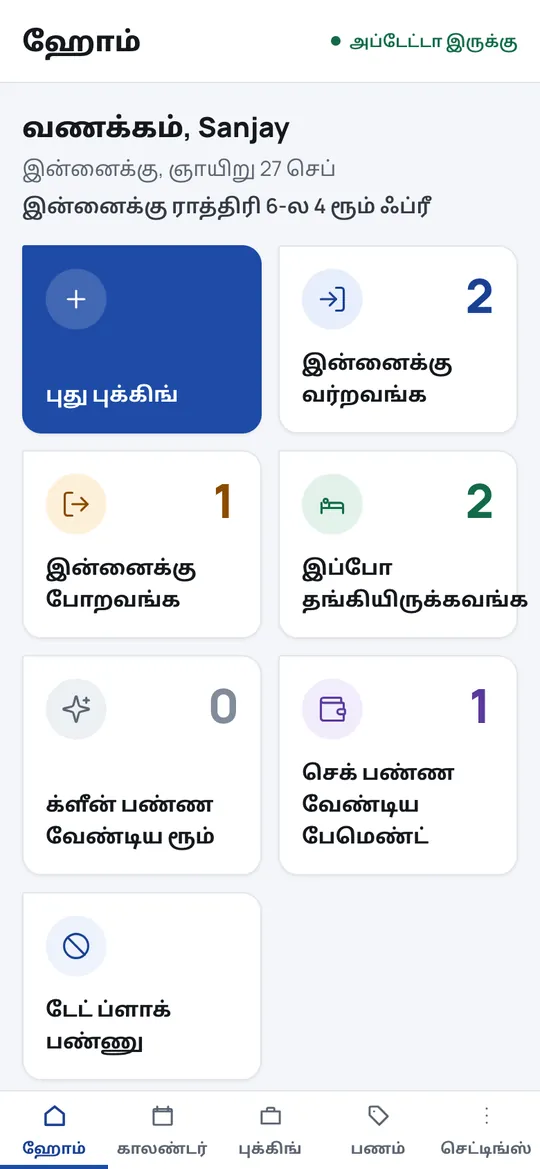
Who is arriving, who is leaving, which rooms to clean, and what money came in. Owners see the money; the desk and housekeeping see only their own work. On an Android phone or in any browser.
Made for your staff
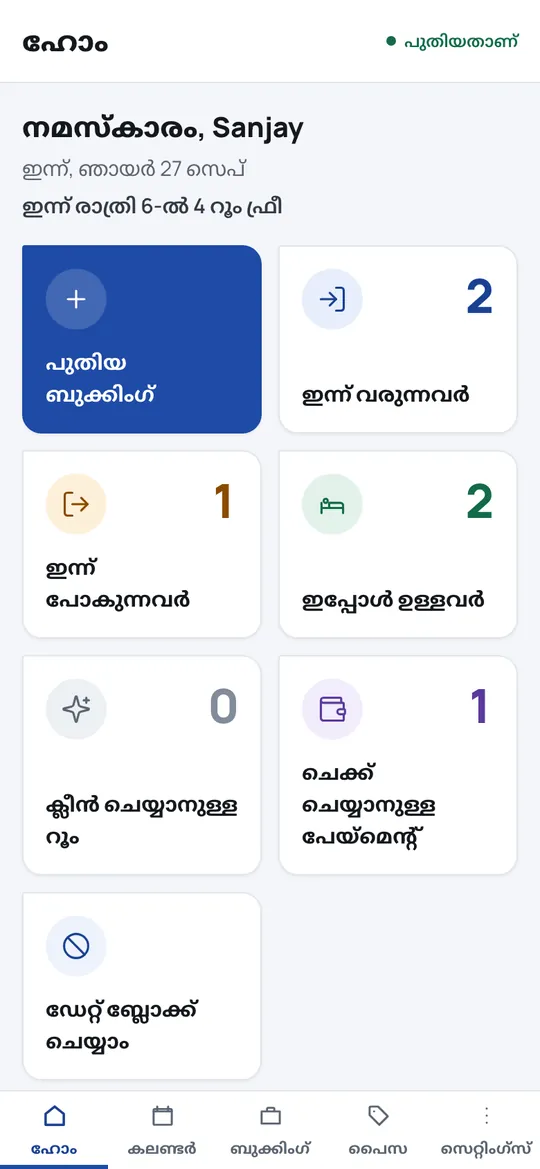
Your staff use it in their own language
The front desk and housekeeping can switch the whole app to Malayalam or Tamil — everyday spoken words and big buttons, nothing technical. Each person picks their own; your guests still see English.
How it works
Set up tonight. Take a booking tomorrow.
- 1Add your rooms
Room types, prices, photographs and your UPI. About twenty minutes, once.
- 2Share your link
In your Instagram bio, your Google listing, or in reply to every WhatsApp enquiry.
- 3Guests book and pay you
They choose, accept your terms and pay the advance. You check it arrived and welcome them.
What else it does
The things that go wrong at a small resort, handled
- No double bookings
Two guests can never get the same room for the same night — the system refuses it.
- Works with poor signal
The Android app keeps working with no network, and sends everything once the signal is back.
- Payments checked, not assumed
A screenshot is a claim until someone checks the bank. Nothing is counted twice.
- ID at check-in
Photograph the guest’s ID with their consent. It is encrypted, and deleted automatically after the retention period.
- Bills and GST invoices
A proper bill with your address, or a tax invoice once you add a GSTIN.
- Every change has a name
Each booking, payment and refund records who did it. Staff get only what their role needs.
Why owners switch
Stop paying 15–20% on guests who found you anyway
Being straight with you: this does not replace a travel site’s reach. It stops you paying commission on the enquiries you already get yourself — from WhatsApp, Instagram, Google and returning guests — and turns them into paid bookings.
On one ₹15,000 stay
Every stay, every season. The Resort plan costs ₹299 a month.
Pricing
Free for 30 days. Then one flat price.
No card to start. If you stop, your account turns read-only — everything stays visible and nothing is deleted. Pay yearly and get two months free.
Starter
₹99/month
billed yearly · ₹990 a year
- Up to 4 rooms
- 1 property, 1 login
- Your booking page
- Everything in the app
Homestay Most popular
₹199/month
or ₹1,990 a year
- Up to 10 rooms
- 1 property, 3 staff
- Your booking page
- Everything in the app
Resort
₹299/month
or ₹2,990 a year
- Up to 30 rooms
- 2 properties, 8 staff
- Your booking page
- Everything in the app
More than 30 rooms or 2 properties? Call +91 80867 09322 or write to support@mybills.co.in and we will price it for what you run. No commission on any booking, ever. Prices exclude GST where applicable.
Questions
What owners ask first
Do I or my guests need to install anything?
No. Your guests book on a web page — nothing to download. You can use the Android app or open the same thing in any browser, on a phone or a computer.
How do guests pay, and do you touch the money?
Guests pay the advance straight to your UPI or bank account. The money never passes through us, and we take nothing from it. You mark a payment checked once you see it in your account.
What happens after the 30 days?
Choose a plan to keep taking bookings. If you don’t, your account becomes read-only: you can still see and download everything, and nothing is deleted.
Can my staff use it in Malayalam or Tamil?
Yes. Each person picks English, Malayalam or Tamil for themselves, in simple everyday words. Guests see your booking page in English.
Does it replace Booking.com or MakeMyTrip?
It doesn’t replace their reach. It gives you your own page for the guests who already find you — so you stop paying commission on them. Many owners keep both.
Is my guests’ information safe?
Names, phone numbers and ID photographs are encrypted. ID photos are deleted automatically after a fixed retention period, and every time one is opened it is recorded.
Give your guests a better way to book you
Set up your rooms tonight and share your page tomorrow. Free for 30 days.
Android: download the app · open in your browser · other builds